# Shopify Flow: Klaviyo and Joy Loyalty

{% hint style="info" %}
This feature is available for **Essential, Advanced, and Ultimate**
{% endhint %}

{% hint style="success" %}
**Joy now supports native Klaviyo integration — no Shopify Flow required.**

You can connect Joy directly to Klaviyo and use real-time trigger events (tier changes, point earnings, birthdays, referrals, and more) without going through Shopify Flow. This is the recommended approach.

👉 See [Joy and Klaviyo](https://gitlab.com/avada/gitbook/joy-new-gitbook/-/blob/main/email-marketing-and-sms/joy-and-klaviyo.md) for the full setup guide.
{% endhint %}

### Using Shopify Flow as an alternative

If you prefer to route Klaviyo actions through Shopify Flow — for example, to combine Klaviyo sends with other Flow logic — you can still set up a workflow using the steps below.

{% stepper %}
{% step %}
**Open Shopify Flow and create a new workflow**

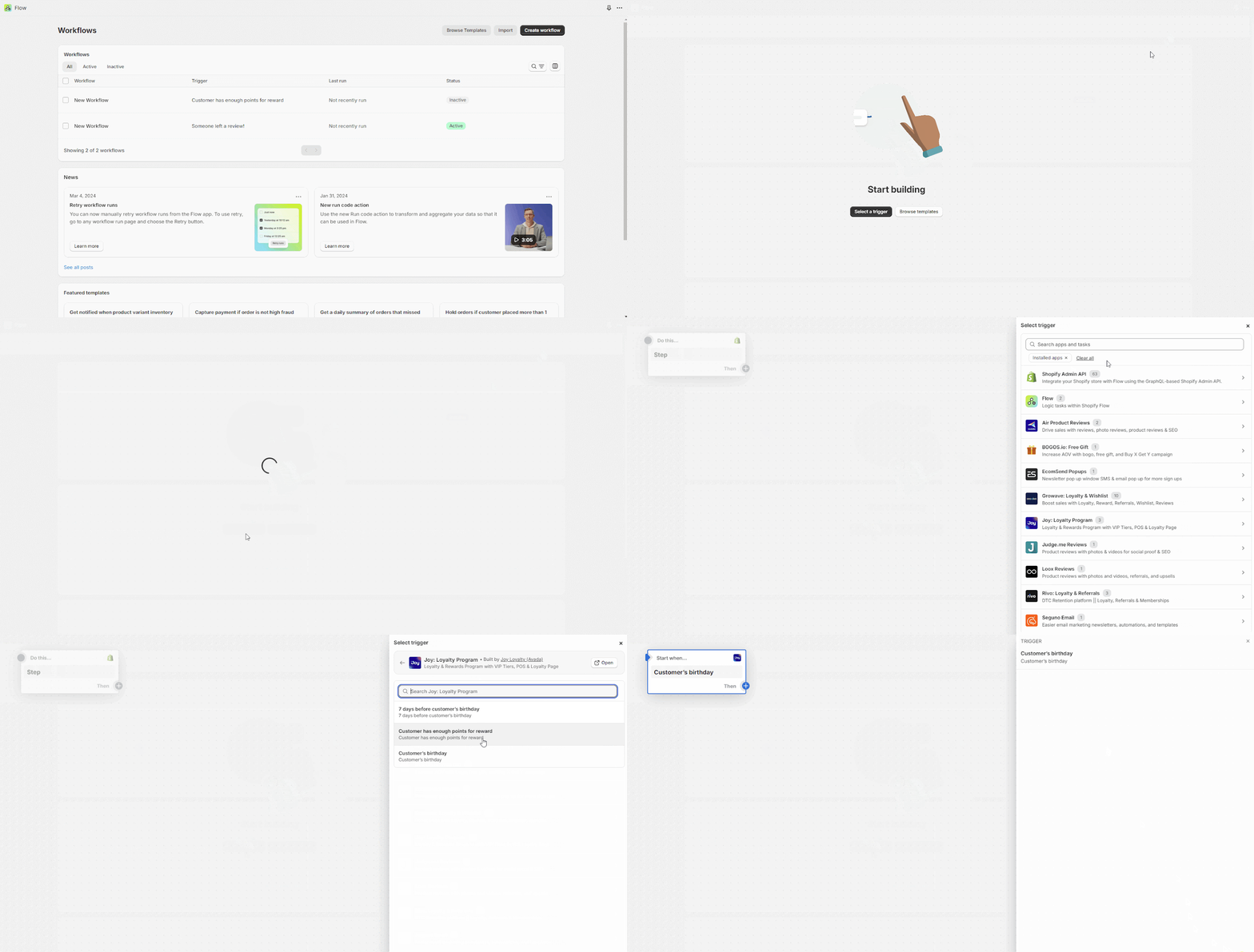
Access Shopify Flow, create a new workflow, and choose **Joy Loyalty** as the trigger.

![Joy Loyalty](https://lh7-us.googleusercontent.com/sMGwWSUBz8XWP1g-alacGVRvtJvRaKkQS4CwyEnQbeul5AgaPyYbwfs-uHF2jbeyUpKEqCHI4Ew3TB4Hvt1_9KjxoOR_hC4qpmWp9tr0otKgwFpk8Sx7bO8gpM6qlCFH1iusfGKCBXPe71Ms)
{% endstep %}

{% step %}
**Select Klaviyo as the action**

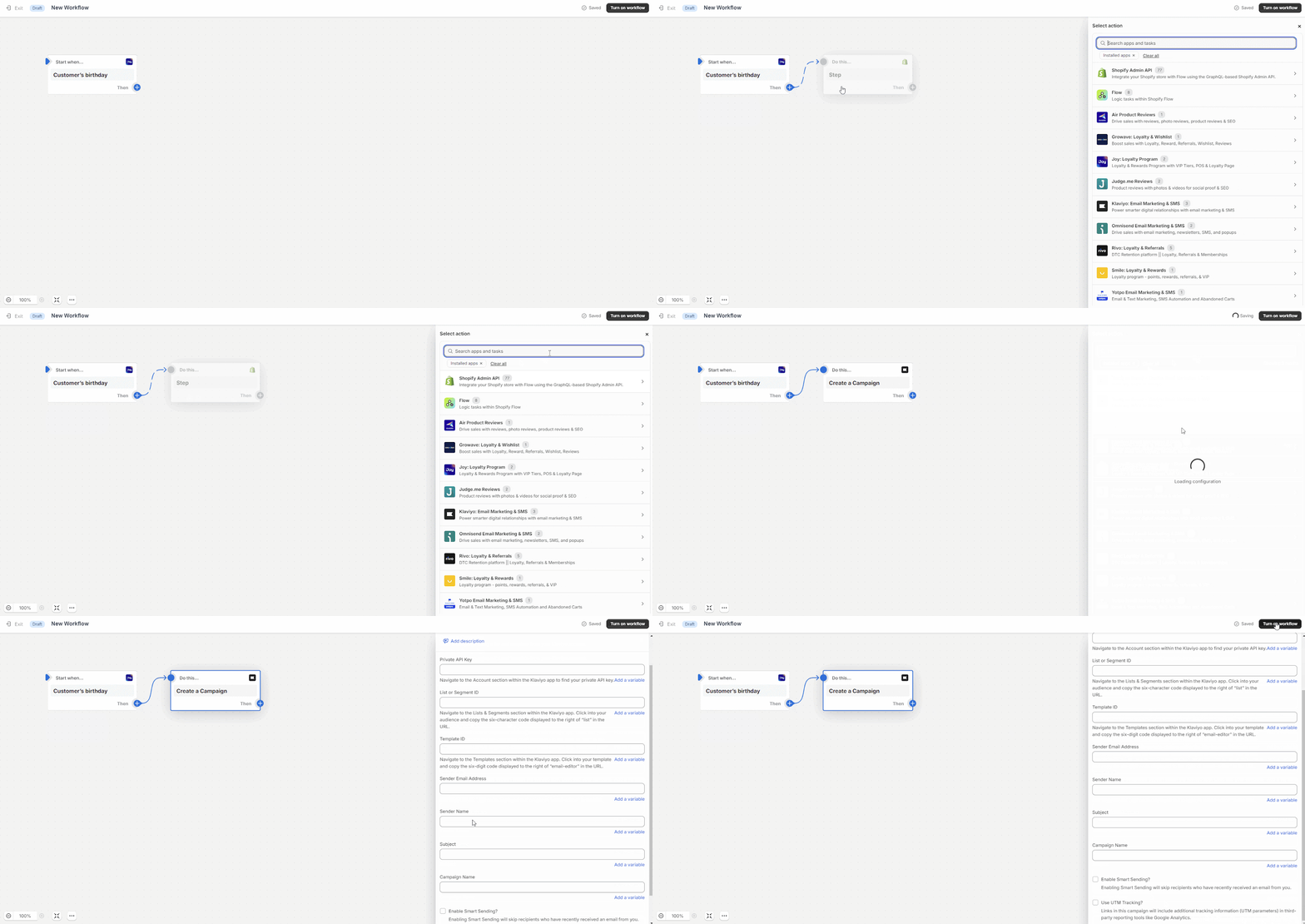
Select an action and choose **Klaviyo**. This allows you to automatically send a campaign when the trigger conditions are met.
![Klaviyo](https://lh7-us.googleusercontent.com/uAEY0jbGQgQaVGMN5i4NQMmpIorGmXQG2DYJb4WZPcKCLxjCQ6_GEpB_bPUvshjnyB_388pSonoD0iAEbkCILr1nD8IBkLAqIC5amQHlBf7YiIT_0SgBjg1ntg1To-Uuuywo_Dj7Y-ayzPem)
{% endstep %}
{% endstepper %}

For most use cases, the [native Joy × Klaviyo integration](https://gitlab.com/avada/gitbook/joy-new-gitbook/-/blob/main/email-marketing-and-sms/joy-and-klaviyo.md) provides more trigger events, richer event properties, and easier setup — without needing Shopify Flow as a middleman.


---

# Agent Instructions: Querying This Documentation

If you need additional information that is not directly available in this page, you can query the documentation dynamically by asking a question.

Perform an HTTP GET request on the current page URL with the `ask` query parameter:

```
GET https://help.joy.so/integrations/integrate-with-shopify-flow/shopify-flow-klaviyo-and-joy-loyalty.md?ask=<question>
```

The question should be specific, self-contained, and written in natural language.
The response will contain a direct answer to the question and relevant excerpts and sources from the documentation.

Use this mechanism when the answer is not explicitly present in the current page, you need clarification or additional context, or you want to retrieve related documentation sections.