Shopify Flow: Reviews.io and Joy Loyalty
Learn how to reward customers with loyalty points in Joy automatically when they leave reviews via Reviews.io using Shopify Flow.
This feature is available for Essential, Advanced, and Ultimate
Why do you need this workflow?
The workflow between Joy Loyalty and Reviews.io is crucial for maximizing your brand's online presence by effortlessly showcasing customer reviews and star ratings across social media platforms and search engines. This not only helps increase your visibility but also builds trust with potential customers. Additionally, by rewarding customers with loyalty points for submitting reviews, you incentivize more engagement and valuable feedback. This integration fosters stronger customer relationships, drives higher levels of satisfaction, and ultimately contributes to the long-term growth and success of your business.
How to create a workflow between Reviews.io and Joy Loyalty?
Access Shopify Flow and Create a New Workflow
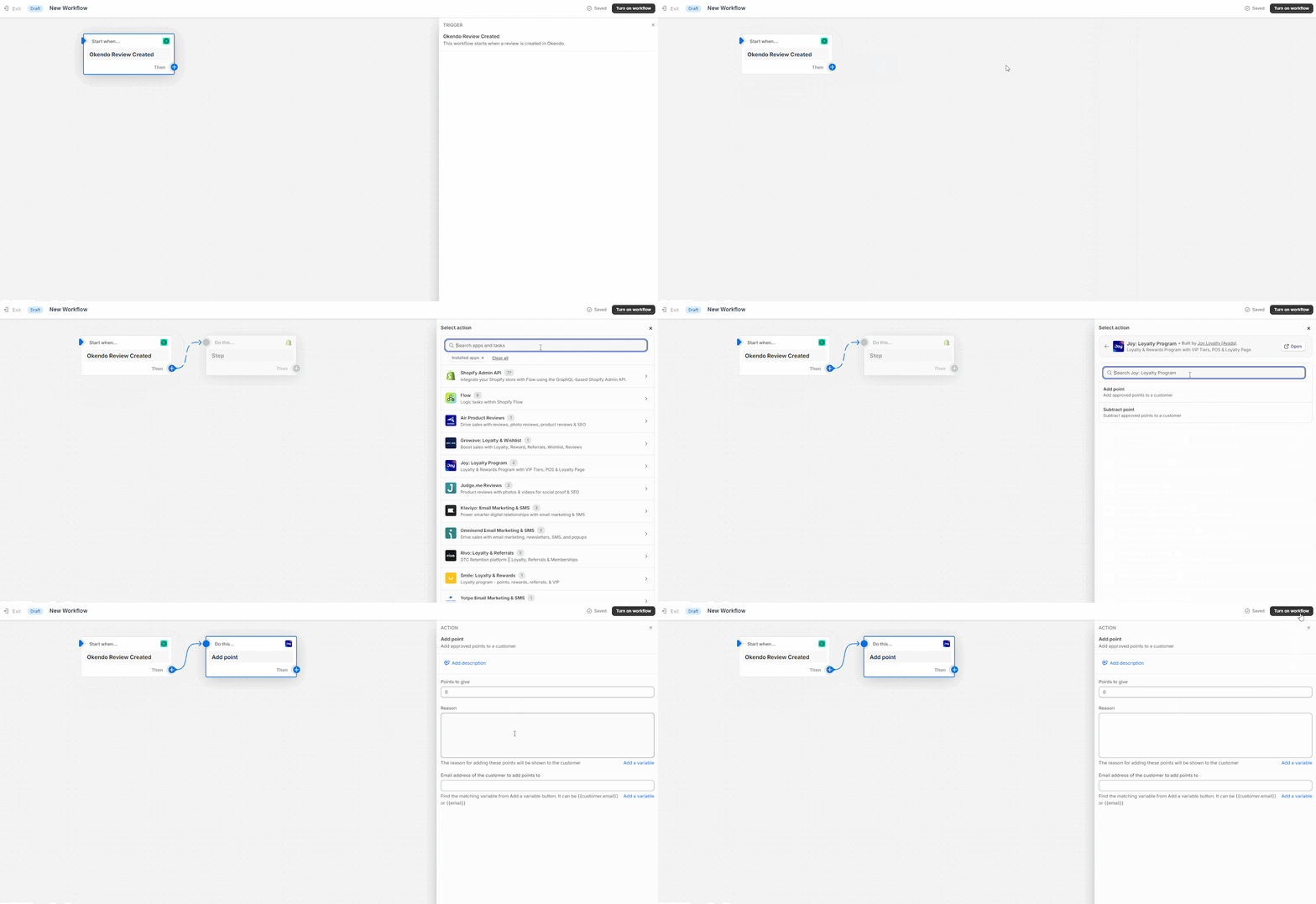
- You need to access Shopify Flow and create a new workflow. Here, you should choose Reviews.io as the trigger
Select Action
- Select 'Action'. Here, you should choose 'Joy loyalty' to automatically add points for the new review
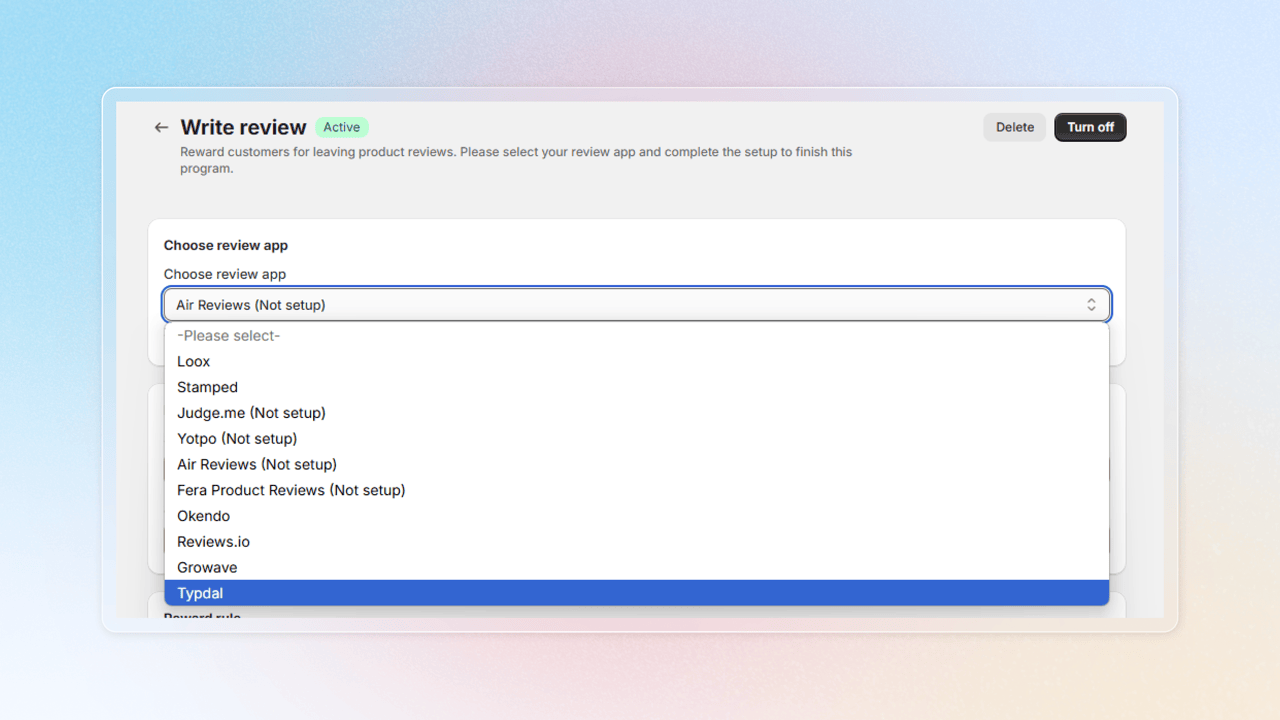
How to choose Review.io as the review app in Write review program
Get access to "Write review"
Choose Reward programs -> Earning programs -> Click Add rule -> Choose Write review
Choose review app
Select Review.io as the review app to integrate with
Want to set up a 'Write Review' program for your customers? Click here for details
And there you have it! You're all set to create a seamless workflow between Joy Loyalty and Reviews.io
Wrap up
Integrating Joy Loyalty with Reviews.io enhances your brand's visibility by showcasing reviews across social media and search engines, while rewarding customers with loyalty points for their feedback. This seamless workflow encourages greater customer engagement, strengthens trust, and drives long-term loyalty, helping your business grow and thrive.