Activities
Track customer engagement and loyalty activities.
This feature is available for: All plans.
What is "Activities" feature?
The Activities feature is your customer relationship command center – a comprehensive dashboard that gives you unprecedented insights into customer interactions, behaviors, and loyalty program engagement.
Why do you need this feature?
Tracking customer activity helps personalize recommendations, rewards, and promotions, boosting satisfaction and loyalty. Understanding behavior enables a more tailored and engaging shopping experience.
Customers' activities dashboard
Click on Activities in the navigation bar. View the Customers' Activities Dashboard
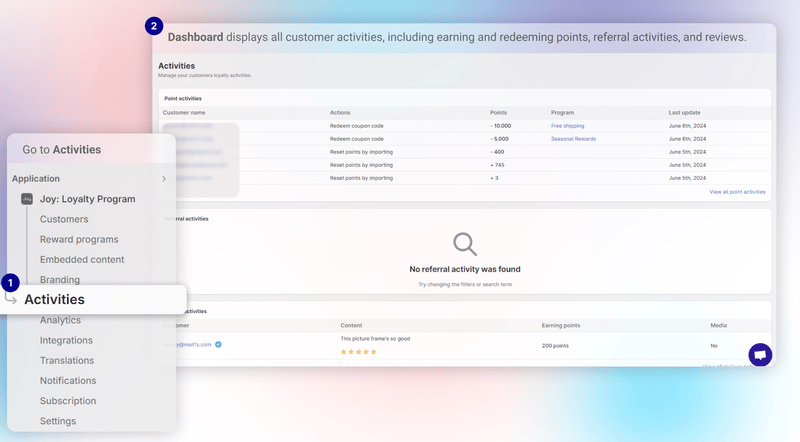
It provides a comprehensive view of customer engagement and interactions:
- Referral Activities: Shows referee status and referral earnings
- Review Activities: Logs approved reviews and reward points
- Google Review Submission: Monitors Google reviews and earned rewards
Select "View all point activities" to see customer status
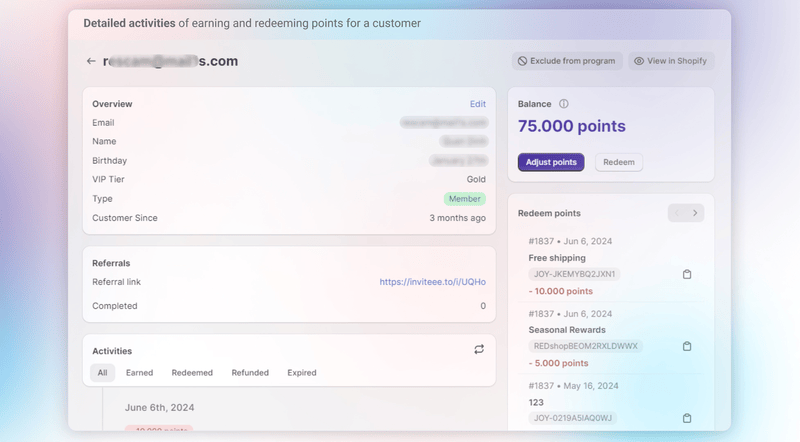
It includes: All, Earned, Redeemed, Refunded, and Expired for customer activities
On the left, you can click "Adjust points" to change customer information
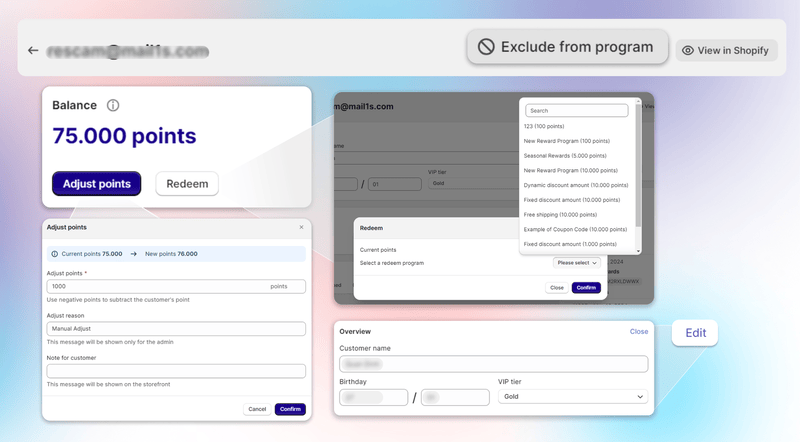
Adjust points: Modify the customer's points balance
Redeem: Directly redeem points for rewards
Exclude from program: Remove the customer from the loyalty program
Overview edit: Update general information about the customer: Name, Birthday, VIP Tier
Click to View all referral activities to see customers’ activities
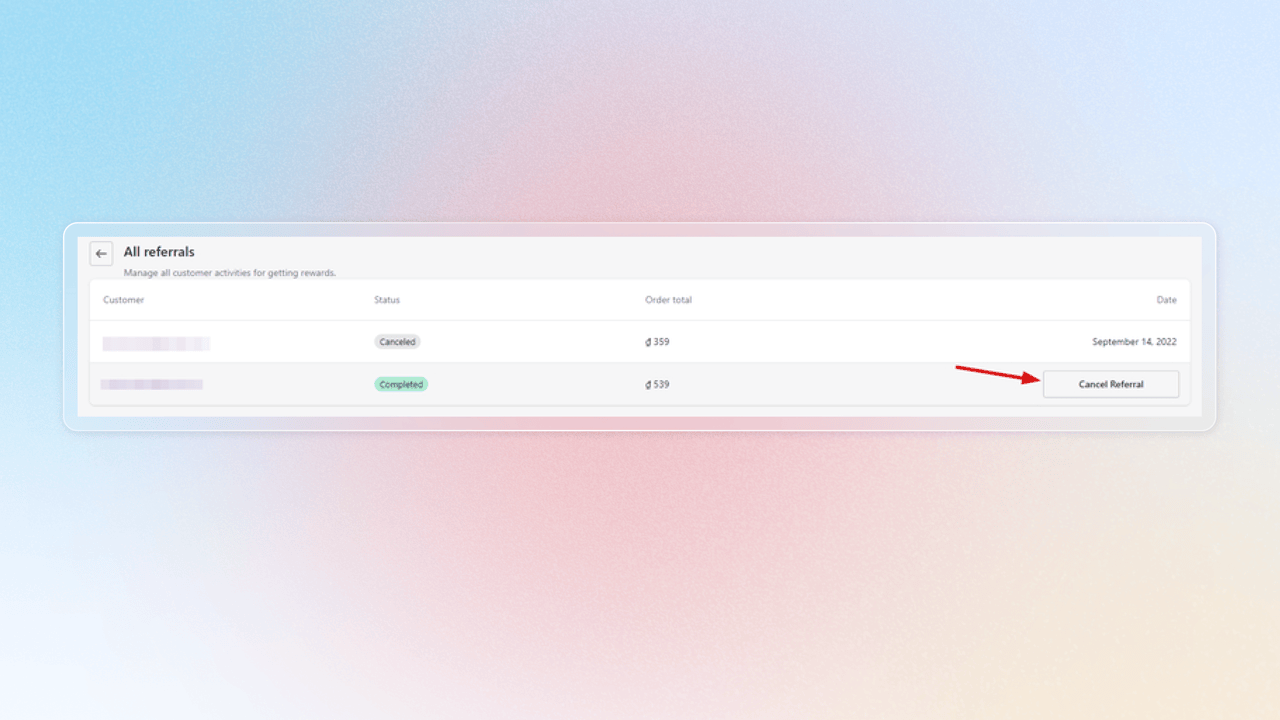
You can click "Cancel referral" to stop customer's referral activities
Pending Status: Referral is canceled, referee discount codes are voided, and referrers won’t receive new referral codes
Complete Status: Referral is canceled, and referee discount codes are voided