Joy and Chatty
Integrate Joy Loyalty with Chatty, highlighting key features and benefits of the integration
Who can use this feature?
- This feature is available in all plans.
Why do you need to integrate Chatty with Joy Loyalty?
By integrating Chatty with Joy, you can:
- Get access to customer’s loyalty profile and activity right in Chatty Inbox, which include:
- Type
- VIP tier
- Points balance
- Birthday
- Referral link
Then, you have more information to personalize answers to customer inquiries or provide suitable services/products.
You can check Joy profile in:
- Customer details in Contacts
- Conversation details
- Export FAQs about your loyalty program
This will enhance Chatty's AI chatbot responses.
How to integrate Chatty with Joy Loyalty?
In the Joy Loyalty app, please access the Integrations section from the left menu and select Chatty. Then click on "Go to app".
Get access to customer’s loyalty profile and activity in Chatty Inbox
Click Connect to integrate Chatty with Joy Loyalty.
This will sync below information from Joy to Chatty:
- Type
- Birthday
- VIP tier
- Point balance
- Referral link
Export FAQs about your loyalty program
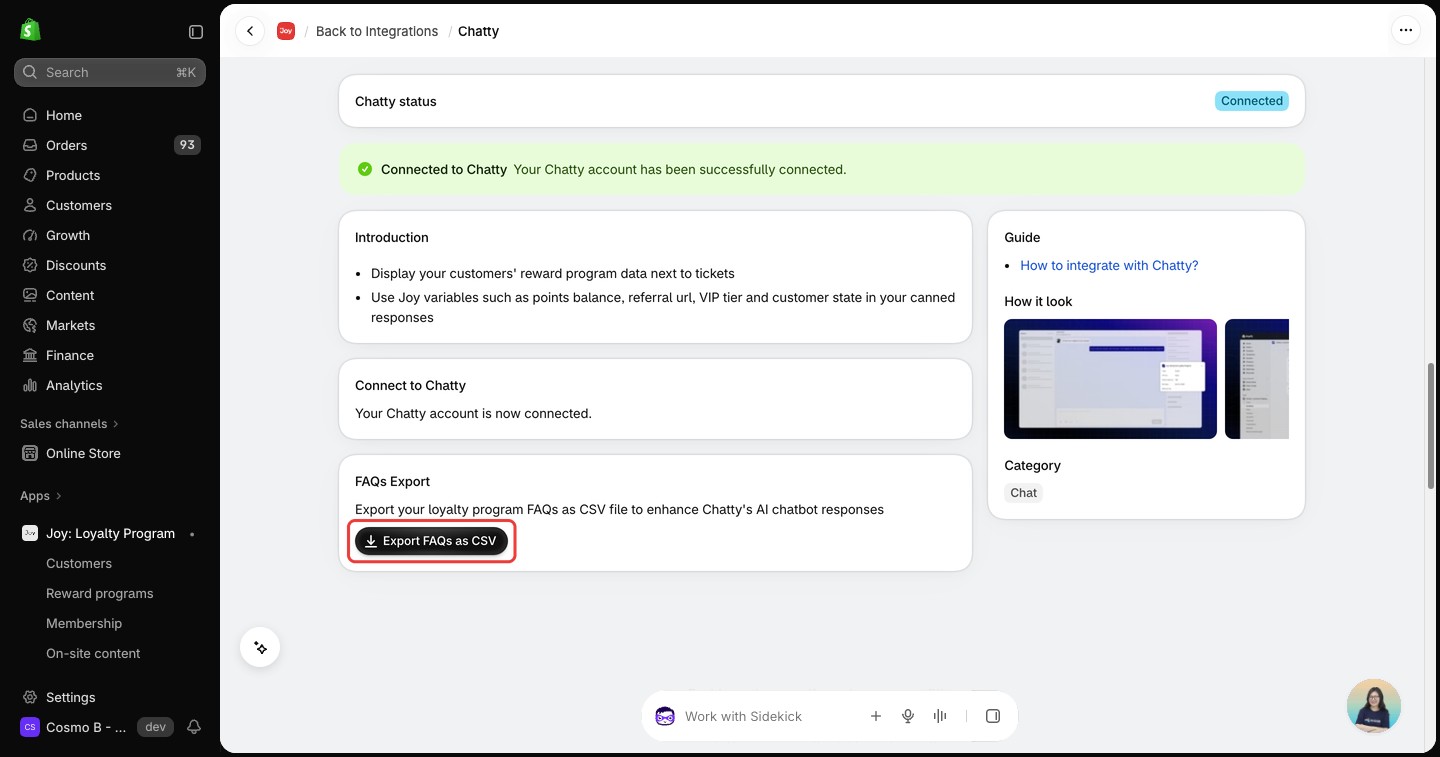
Click "Export FAQs as CSV" to export your loyalty program FAQs to enhance Chatty's AI chatbot responses
Frequently asked questions
Is the Chatty integration limited to certain plans?
No. It is available on all plans. In your Joy admin, open Integrations in the left menu and select Chatty.
Do I need the Chatty app installed to connect?
Yes. You finish the connection inside the Chatty app. Go to app on the Joy Chatty page opens Chatty in your Shopify admin, where you click Connect.
Why does Joy still show Chatty as not connected?
Joy only learns about the connection after you finish it in Chatty. Click Refresh next to Go to app to read the status again. Once connected, the page shows "Your Chatty account is now connected" and a Connected to Chatty banner.
What does Export FAQs as CSV do?
It creates a CSV file from the questions and answers in your Loyalty Program FAQs list in Joy and opens the download. Joy does not send the file to Chatty. The file has the columns Question, Answer, Category (always Loyalty program), Published question (TRUE) and Featured question (FALSE). If your FAQ list is empty, Joy does not create a file.
Does Joy tell Chatty when I change plan or uninstall Joy?
Yes. While Chatty is connected, Joy sends Chatty a notice when you install Joy, change your Joy plan or uninstall Joy.
Need help?
Contact us via the live chat widget in your Joy admin, or email us at [email protected].