Dashboard
The Dashboard is your command center for managing your Joy Wishlist app — a quick overview of your wishlist performance metrics, guided setup tasks, and help resources.
Why use the Dashboard?
The Dashboard helps you:
- Monitor key wishlist metrics at a glance
- Complete essential setup tasks with step-by-step guidance
- Access customization options quickly
- Get help when you need it
Understanding Dashboard elements
Wishlist metrics
At the top of your Dashboard, you'll see three key metrics cards:
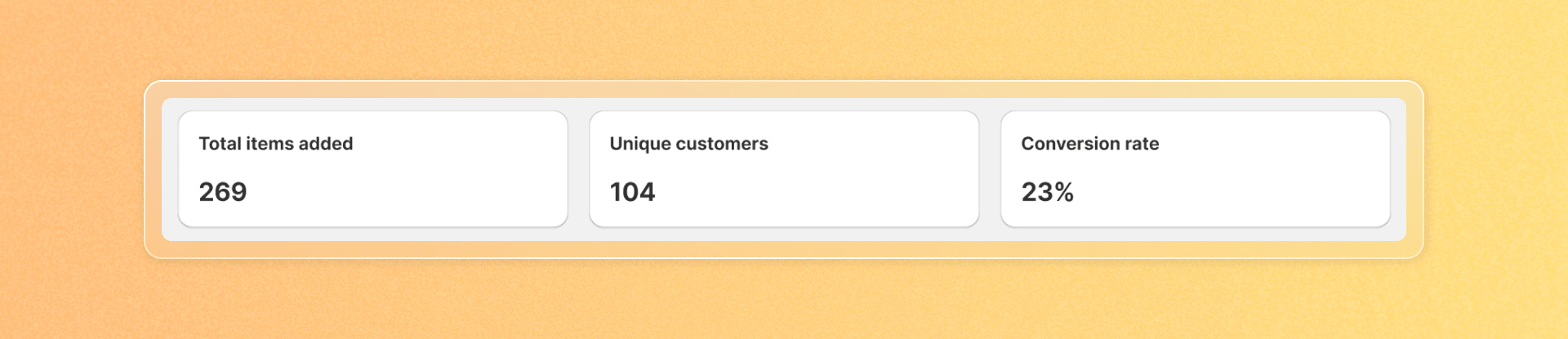
- Total Items Added: The number of products added to all customer wishlists
- Unique Customers: The number of different customers who added products to wishlist
- Conversion Rate: The percentage of wishlist items that were purchased
Conversion rate = (Total items paid / Total wishlist items added) * 100%
These metrics help you understand customer engagement with your wishlist feature and sales impact.
Quickstart guide
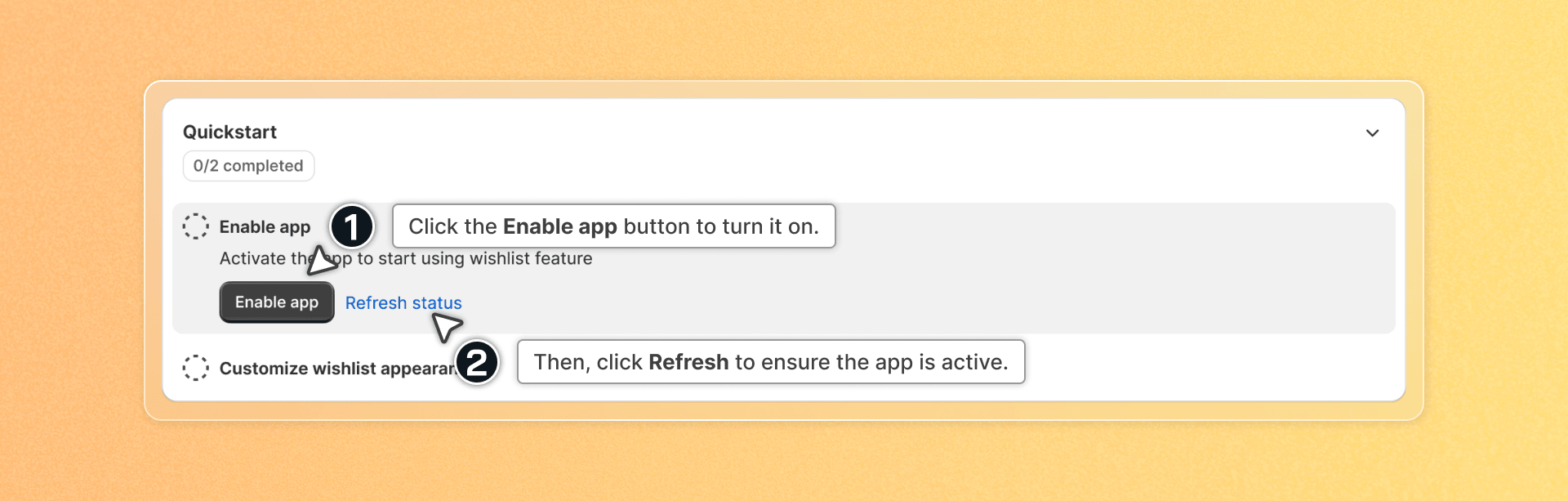
The Quickstart section walks you through essential setup steps:
- Enable App: Enable the app to make it visible on your store. Click the Enable button to turn it on and Save in Theme Editor. Once done, click Refresh to ensure the app is active.
- Customize wishlist appearance: Customize how customers access their wishlist, view saved items, and interact with the button to create a seamless experience
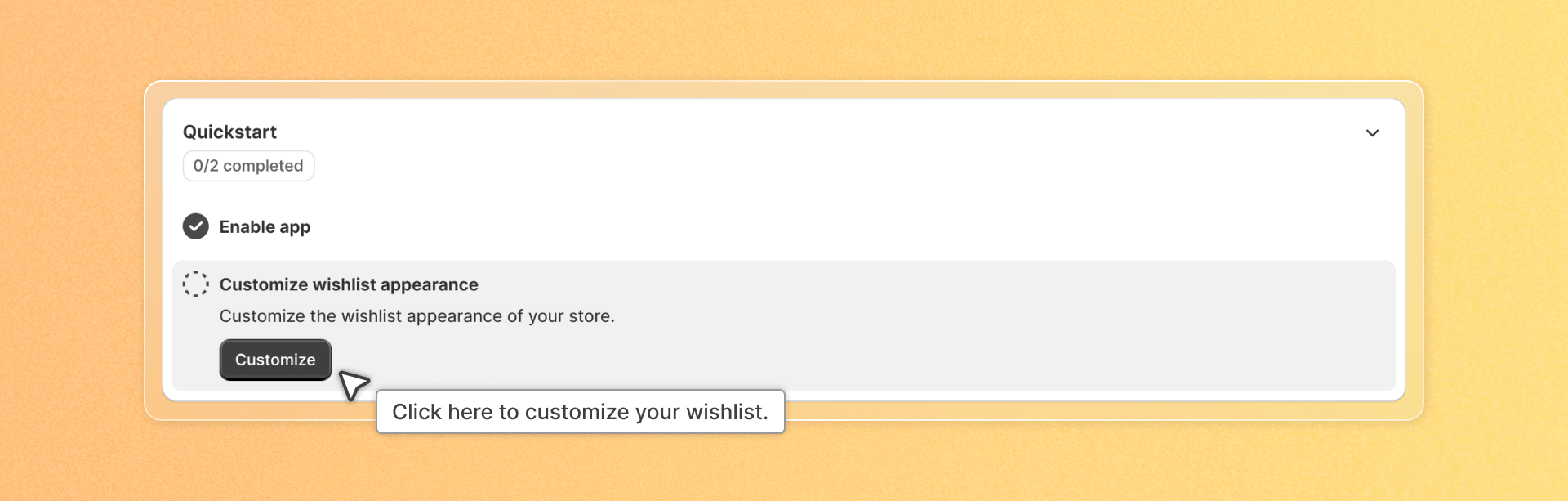
That's it! These two steps will get you up and running with your wishlist feature.
Help resources
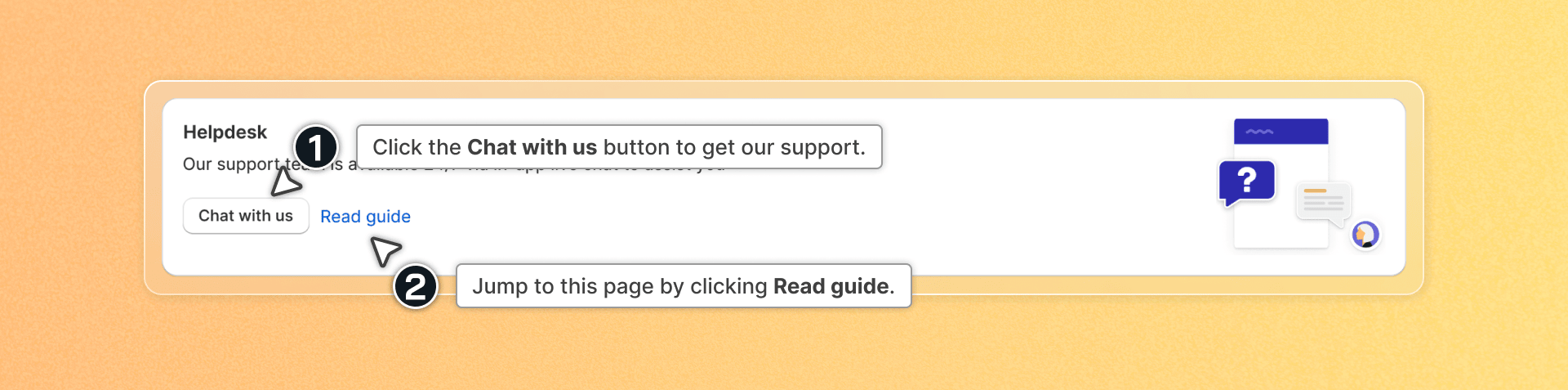
At the bottom of the Dashboard, you'll find the Help Desk section where you can:
- Chat with support by clicking the "Chat with us" button
- Jump to this page by clicking "Read guide"
Changing the App Language
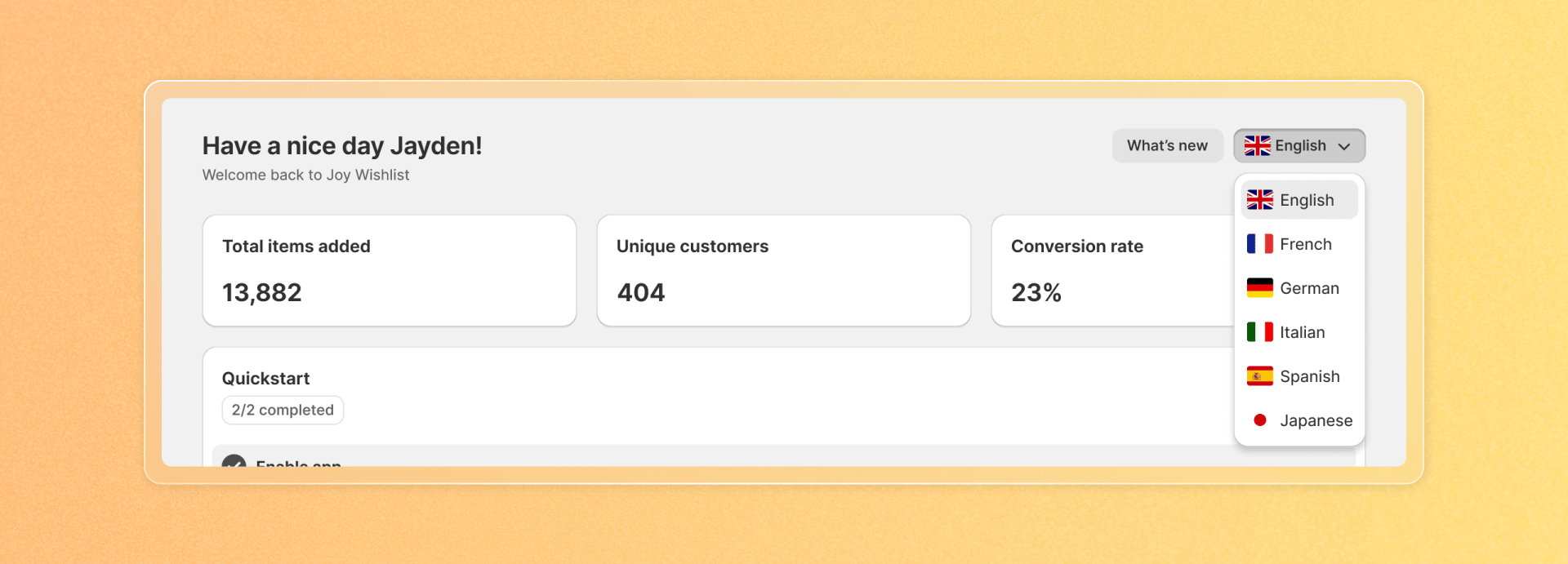
- Click on the "App's language" button -> Select your preferred language -> The app's language will be updated.
- Available languages include: English, French, German, Italian, Spanish, Japanese.