Loyalty page
Create an SEO-friendly Loyalty page for your Shopify store
This guide covers Version 1 of the loyalty page, built from blocks in the Shopify theme editor. Stores installing Joy today start on Version 2, which is designed in Joy itself — see The new Loyalty page.
Older updates to this version: loyalty landing page's updates by March 2025.
This feature is available for Essential, Advanced, and Ultimate plans.
How to set up loyalty landing page
Go to online stores, choose theme
Click on customize in your current theme
Click on Pages, then choose joy-loyalty
Adding blocks to Your Loyalty Page
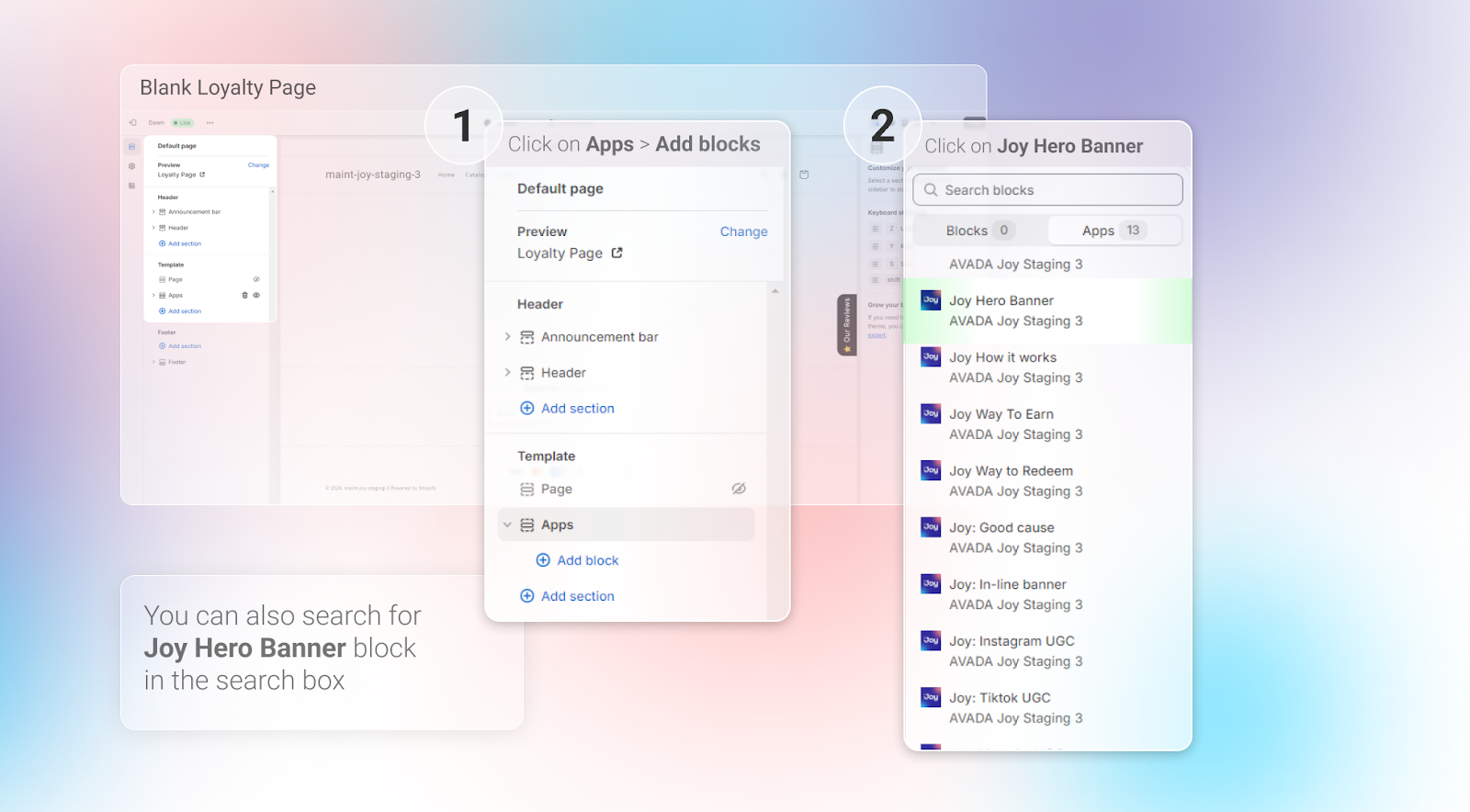
Click on 'Apps' in the left menu.
Add the block(s) you want from the list.
Change your SEO
You can update your page handle, title, and meta description directly within Shopify by following these steps:
Go to Shopify Admin → Online Store → Pages.
Select your landing page.
Click Edit website SEO.
Update the page handle, title, and meta description as needed.
Click Save to apply your changes.
Submit Your Page to Google Indexing
Once all updates are complete, make sure to submit your page to Google Indexing to improve search visibility.