Joy and Gorgias
This guide provides step-by-step instructions on how to integrate Joy Loyalty with Gorgias, highlighting key features and benefits of the integration.
This feature is available in all plans.
Why do you need to integrate Gorgias with Joy Loyalty?
The Joy-Gorgias integration improves customer support by letting you quickly access loyalty info, speeding up responses and ensuring accuracy. It also helps to personalize service with detailed loyalty data and manage loyalty programs in one place.
The system synchronizes customer loyalty data with Gorgias, including:
- Balance points
- Status
- Tier name
- Referral link
- Birthday
- Phone
How to integrate Gorgias with Joy Loyalty?
Gorgias recommends starting the setup from your Gorgias account (Option 1 below), even though the connection is finished inside the Joy Loyalty app.
Option 1: Start from Gorgias (recommended)
From your Gorgias account, head to Settings > App Store > All Apps, and find Joy Rewards & Loyalty Program on the list.
After selecting the app, click on the Authorize button.
Add your Shopify store and click on Install. You will be taken to your Shopify account, where you will also install the app.
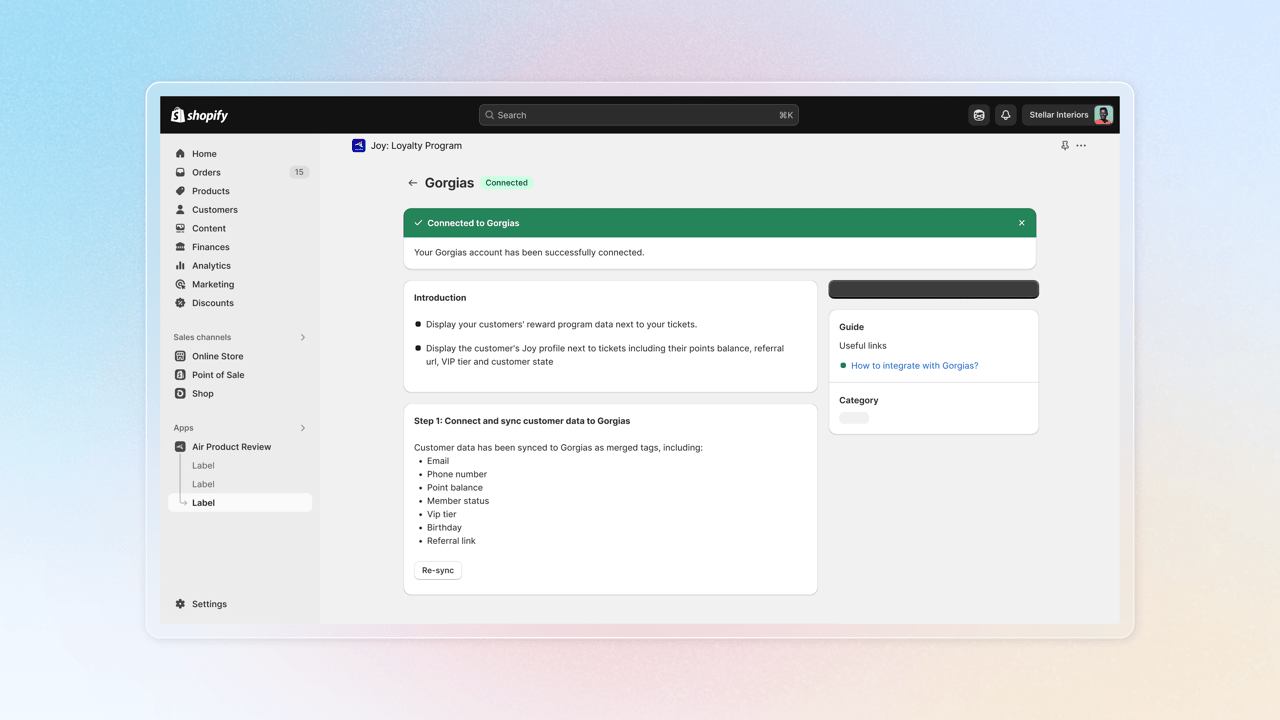
In Shopify, open the Joy Loyalty app and go to Integrations > Gorgias, then connect your Gorgias account and authorize the app.
That's it! You've now integrated Gorgias with Joy Loyalty.
Option 2: Start from the Joy Loyalty app
In the Joy Loyalty app, please access the Integrations section from the left menu and select Gorgias. Then click on "Go to app" and open the Gorgias app.
In the Gorgias app, choose Settings > App Store > All Apps. In here, find Joy Rewards & Loyalty Program
Select the app and click on Authorize, then review the requested permissions and confirm to grant Joy access to your Gorgias data.
That’s it! You’ve now integrated Gorgias with Joy Loyalty.
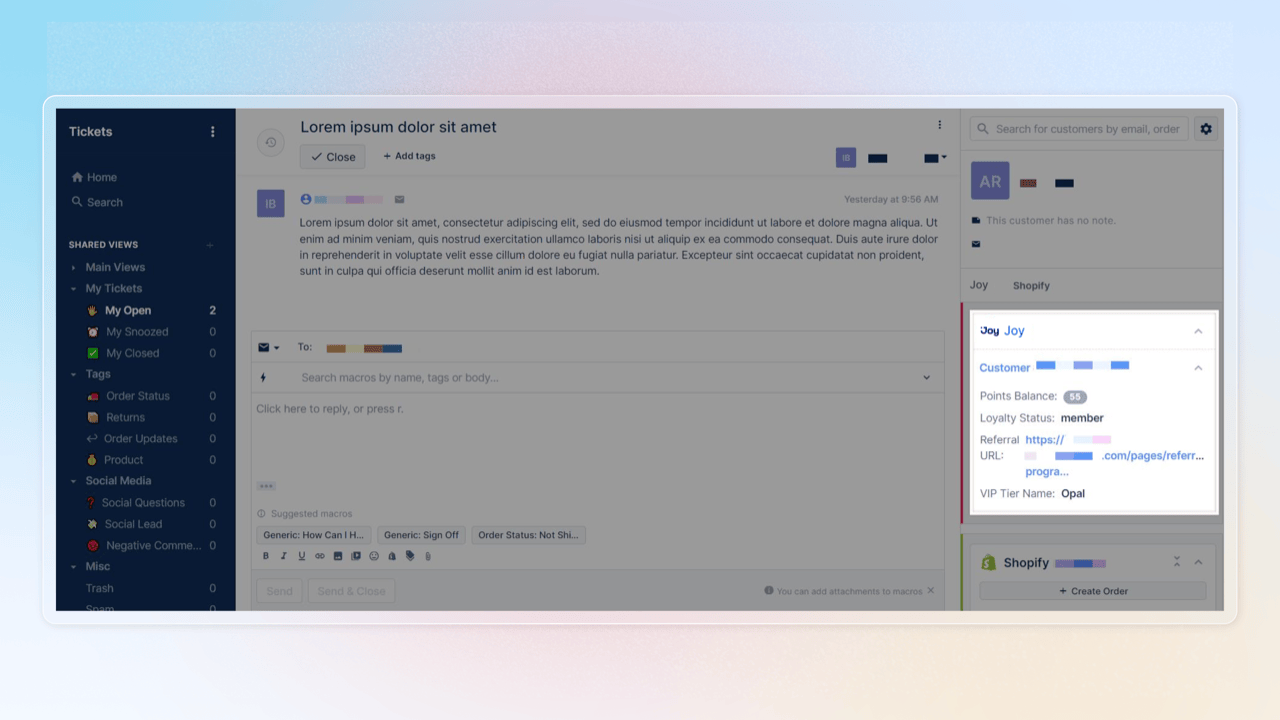
Displaying the Loyalty data in Gorgias
The widget will dynamically load per ticket providing the Loyalty data of the customer if they are enrolled in your Loyalty program. The Loyalty data can be also displayed on each customer profile page.
Customizing the widget
Access the edit mode by clicking the ⚙️ button at the top of the sidebar.
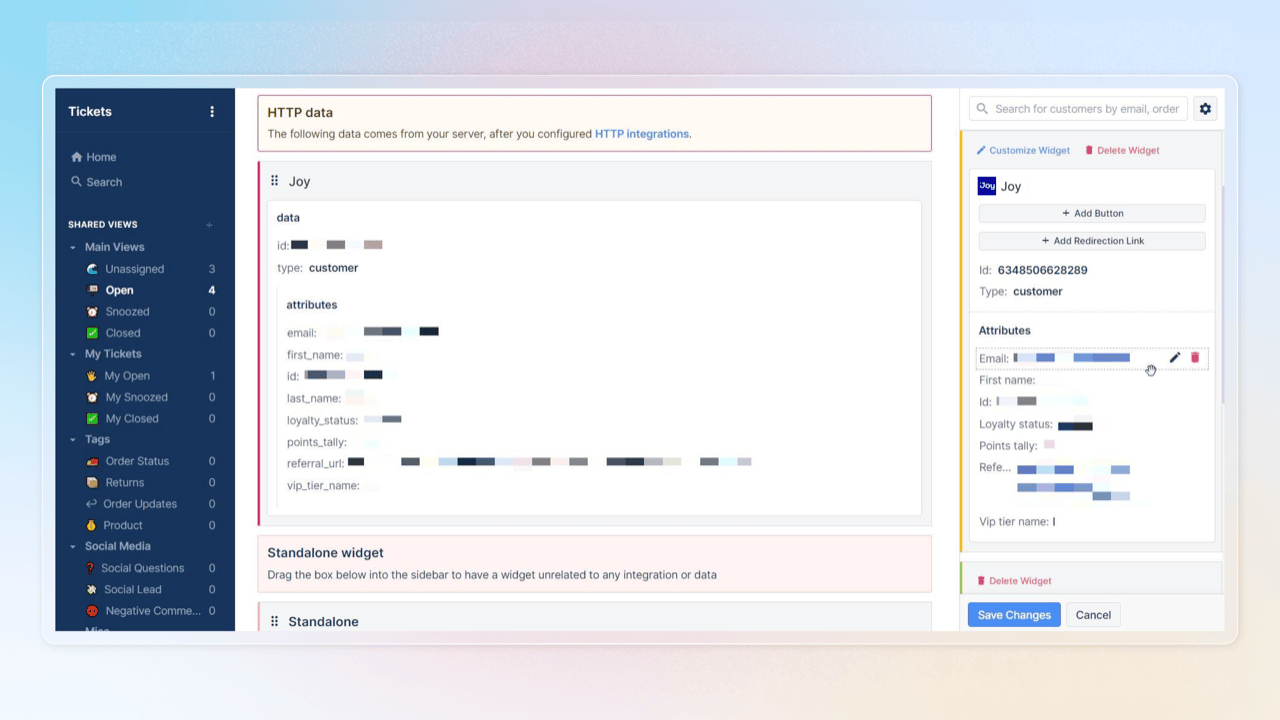
You can customize:
- Add or delete the widget
- Change the border color of the widget
- Change the title of the widget
- Change the icon of the widget
- Rename and delete attributes from the widget.
Wrap up
And that's it! Your integration between Joy Loyalty and Gorgias is now all set. If you run into any issues or have questions along the way, don't hesitate to reach out to our 24/7 live chat support. We're always here and happy to assist you!