Referrals
Boost brand recognition by designing referral boxes according to your store's branding
This feature is available in All plans.
Referral claim popup (new stores)
New installs of Joy get the new referral claim popup described here. Stores that installed Joy before it launched keep their current referral popup, and the rest of this page describes that setup.
The claim popup is what a friend sees after clicking a customer's referral link. It works in two steps:
- Claim — the friend enters their email address.
- Reveal — Joy issues the reward and shows the code, with the referrer's name, so the friend knows who sent it.
The reward can be a discount coupon, store credit, or free shipping, and each gets its own wording. If the friend closes the popup before shopping, the code is not lost: it stays in their browser and appears under My coupons in the Unified Widget.
Design the popup
Go to Branding and open Referrals. The popup opens in a full-screen editor with four tabs:
| Tab | What you set |
|---|---|
| Content | Headlines and copy for the claim and reveal steps |
| Blocks | Which parts show: headline, sub copy, email field, button, terms, code, countdown, and the Shop now button |
| Design | Layout (Classic, Split, Bottom, or Minimal), centered or full-screen size, image position, and animations |
| Translations | The popup's text in each storefront language |
The popup takes its button and color styling from your Unified Widget design, so a widget you have already styled carries over. To start from your storefront instead, enter your store's URL in the editor to scan it: Joy detects your button style, including its hover state, along with your fonts and colors. You can edit every detected color before applying it.
On new stores, the separate invite popup for referrers is turned off. Customers copy their referral link from the loyalty widget instead.
What is "Referrals" feature?
The Referrals feature is your secret weapon for turning happy customers into brand ambassadors. It's like having a digital megaphone that helps your customers spread the word about your store, rewarding them for bringing their friends along for the ride.
Why do you need to customize your referral popup?
Customizing your referral popup ensures it aligns with your brand, grabs attention, and clearly communicates the benefits of referring friends. By tailoring the design, text, and messaging, you create a seamless and professional experience that boosts trust, engagement, and participation in your referral program.
How to set up this feature?
- Referral Popup: Customize the welcome message that invites customers to refer friends.
- Referral Rewards Popup: Adjust the messaging around the rewards being offered for successful referrals.
- Referral Success Popup: Edit the confirmation message shown after a referral is completed.
To set up Referral Popups, follow these steps:
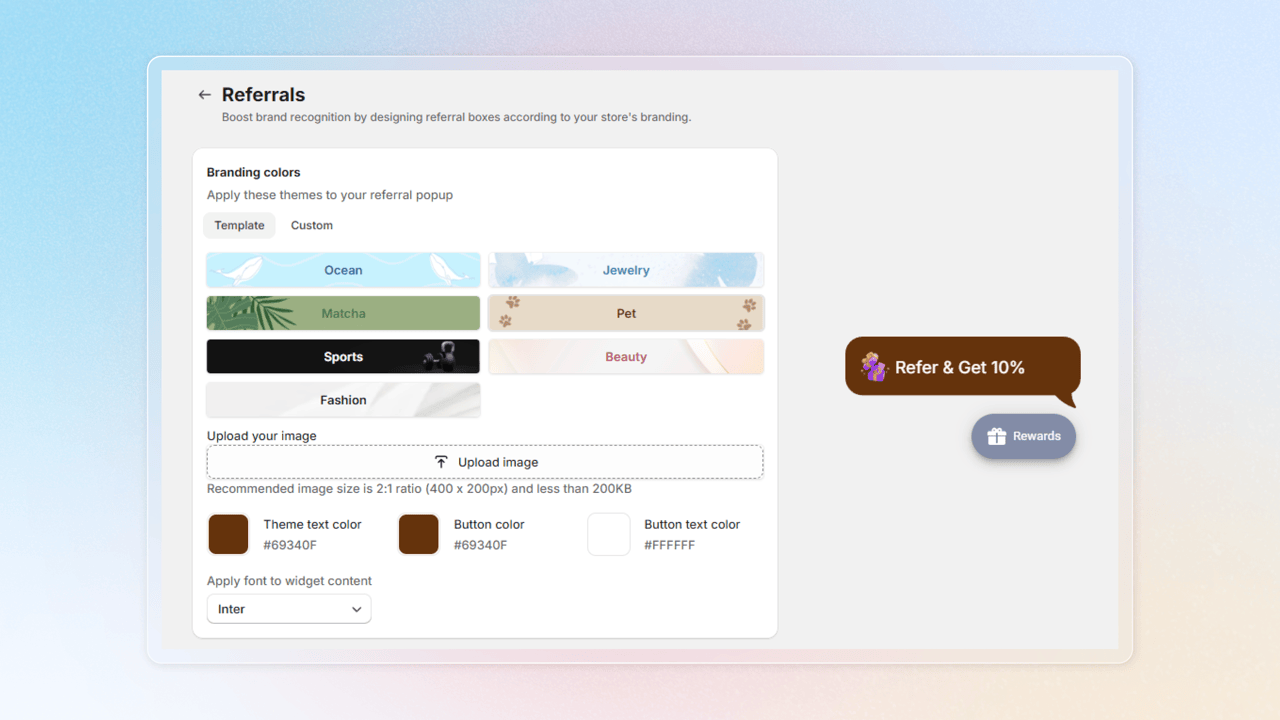
Choose branding colors (you can customize the color and text of the popup)
Go to Branding and select Setup in the Referrals block
Choose the theme to your referral popup. You can choose the template or custom for this
Customize the position and content of the referral popup
Configure whether the referral popup should appear on your website in the How to Show section
Customize the referral popup content and adjust its display frequency
Review the Popup Preview and save your changes
If you prefer not to use the dedicated referral floating button, you can rely on the main floating widget, which already includes a section for referrals.
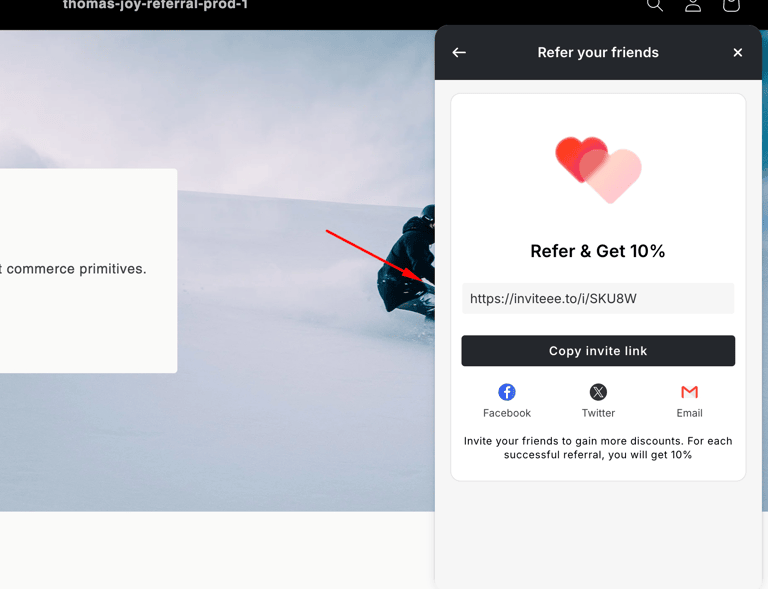
Customize the referral rewards
Setting up Referral Rewards focuses on selecting the icon and editing the content of this popup
Customize the content for the title, description, and button.
Review the Popup Preview and save your changes
Set up referral success notification
Select Referral Success Notification
Customize the content for the title, description, and button
Review the popup preview and save your changes