Write review
Set up and manage the reviews rewards program
This feature is available for the Essential plan and above
What is "Write review" feature?
The Write Review feature is an engagement tool that rewards customers for submitting product reviews on your store. This feature integrates with various popular review apps to automatically award points or rewards when customers share their product experiences.
Why do you need this feature?
Encouraging customers to submit reviews is a great way to build trust and showcase user-generated content. By offering rewards for submitting a review, you can incentivize customers to share their feedback while growing your loyalty program. In this guide, we'll walk you through how to set up and manage the Review rewards program, making it easy for your customers to earn points for sharing their experience.
How to set up this feature
Get access to "Write review"
Choose Reward programs -> Earning programs -> Click Add rule -> Choose Write review
Choose review app
Select one review app to integrate with
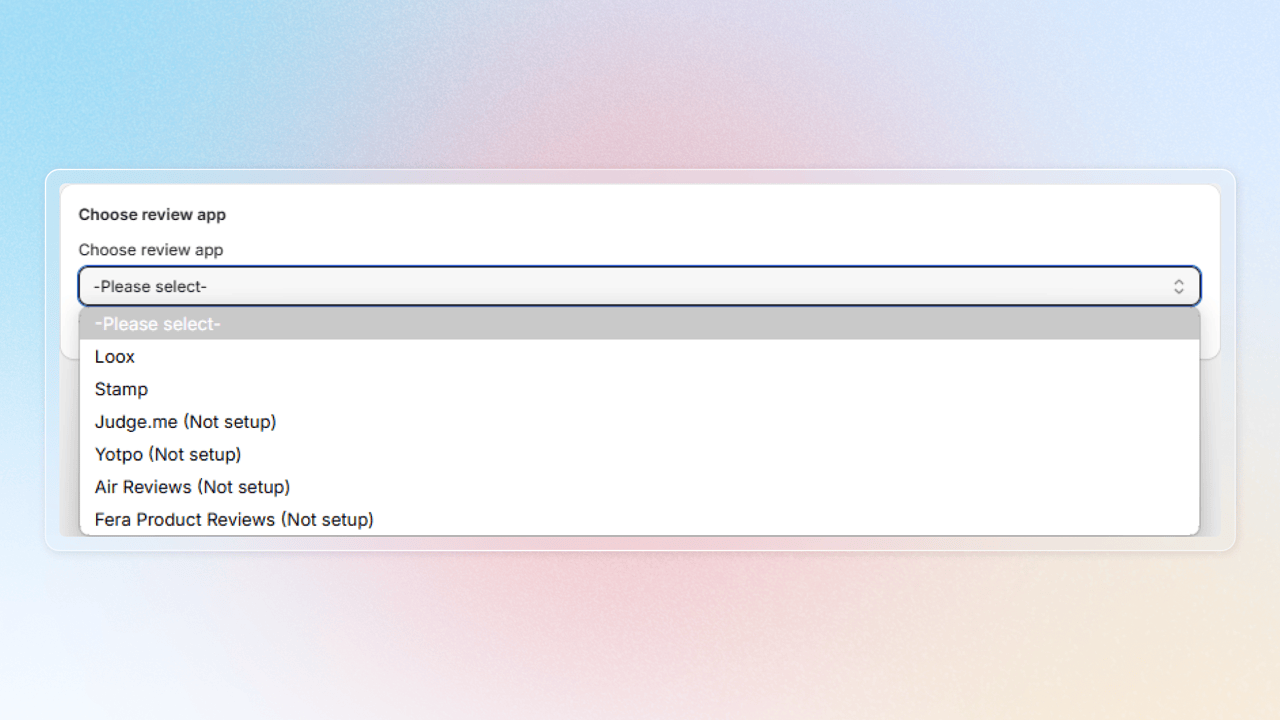
See how to integrate with each of our supported review apps as below:
| App | Post |
|---|---|
| Klaviyo reviews | Joy and Klaviyo reviews |
| Air Reviews | Joy and Air reviews |
| JudgeMe | Joy and JudgeMe |
| Loox | Joy and Loox |
| Okendo | Joy and Okendo |
| Tydal | Joy and Tydal |
| Reviews.io | Joy and Reviews.io |
| Stamped | Joy and Stamped |
| Fera Reviews | Joy and Fera reviews |
| Yotpo Reviews | Joy and Yotpo reviews |
| Growave reviews | Joy and Growave reviews |
| Rocket reviews | Joy and Rocket reviews |
Set up "Write review"
a. For Shopify-flow-powered integrations
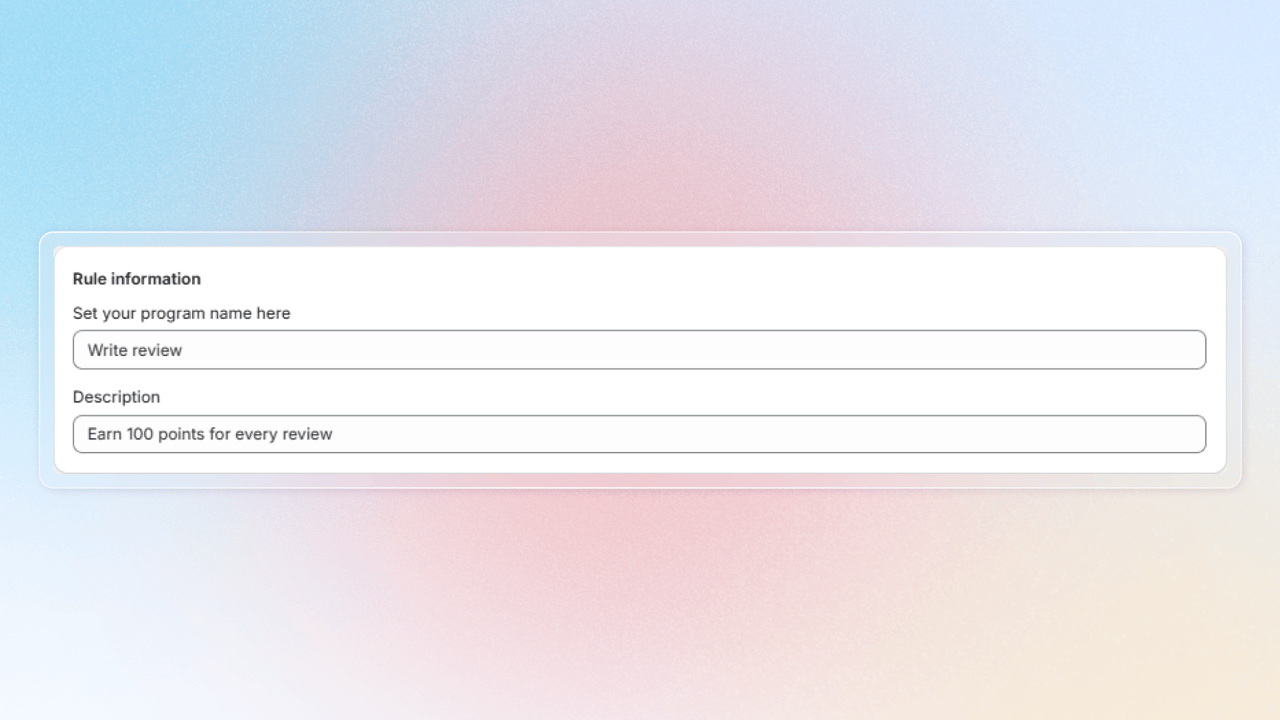
Rule information: Set up your review program information
- Program name: Enter the name of the earning reward program
- Description: Describe your program to resonate with your customers
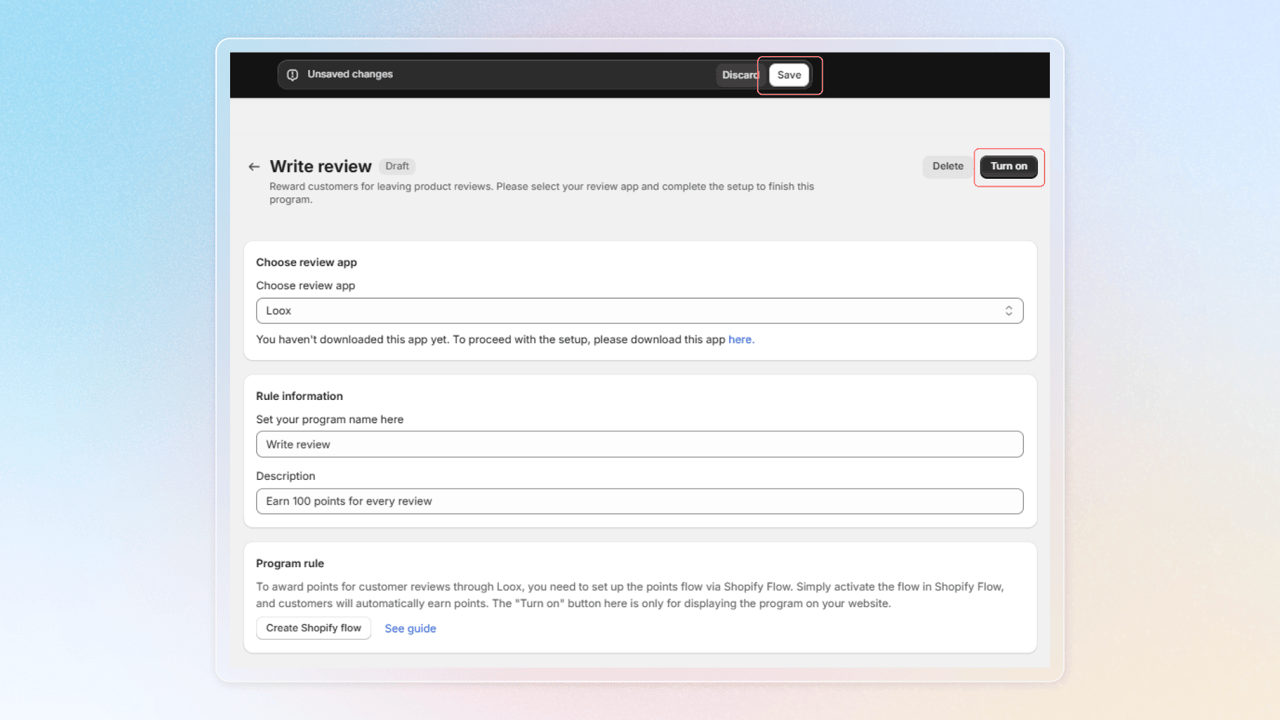
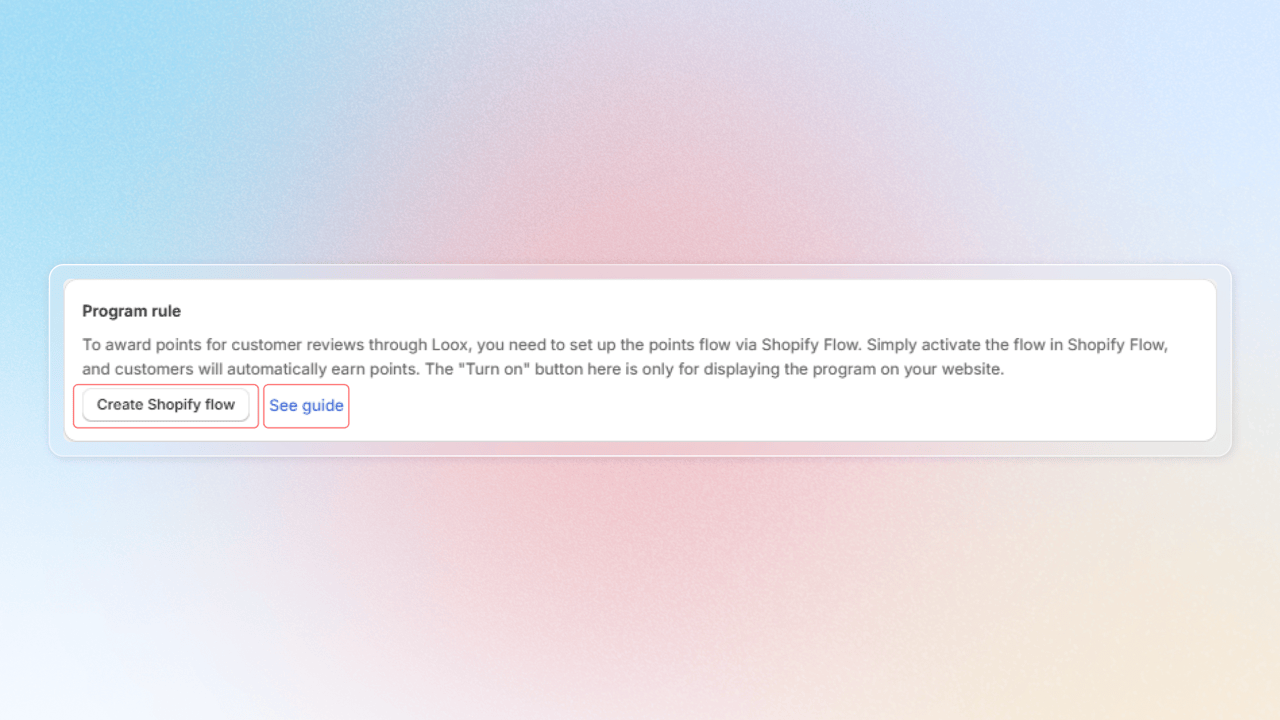
Program rule: Follow the guide and click Create Shopify flow to activate automatic point rewards
b. For direct API-integrated review apps
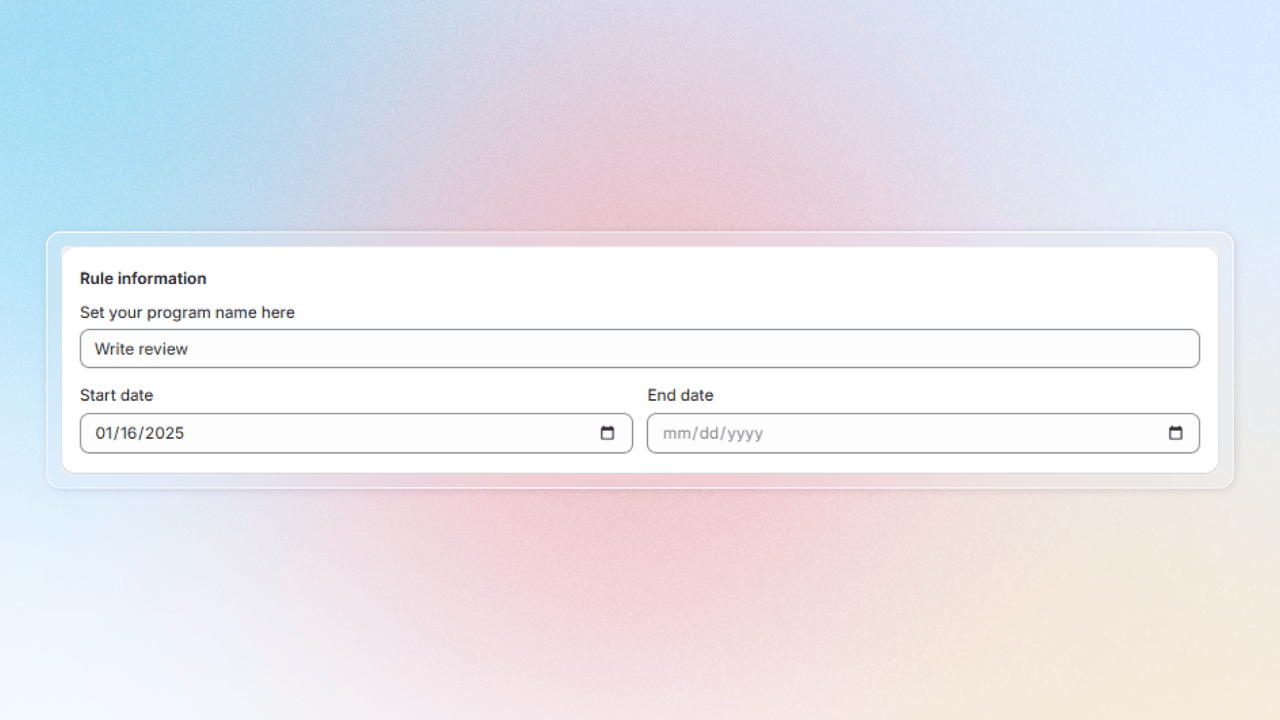
Rule information: Set up your review program information
- Program name: Enter the name of the earning reward program
- Start date and End date: Define the activity duration for your program
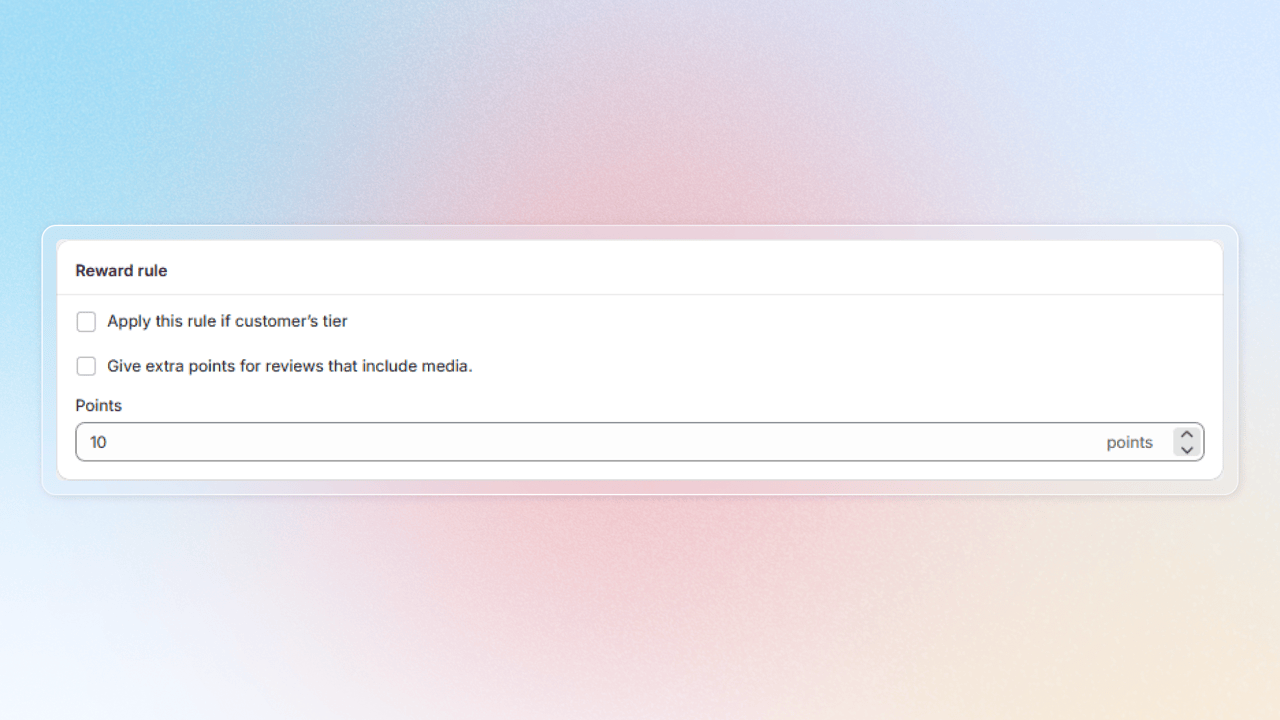
Reward rule: Choose amount of points to reward customers for submitting reviews
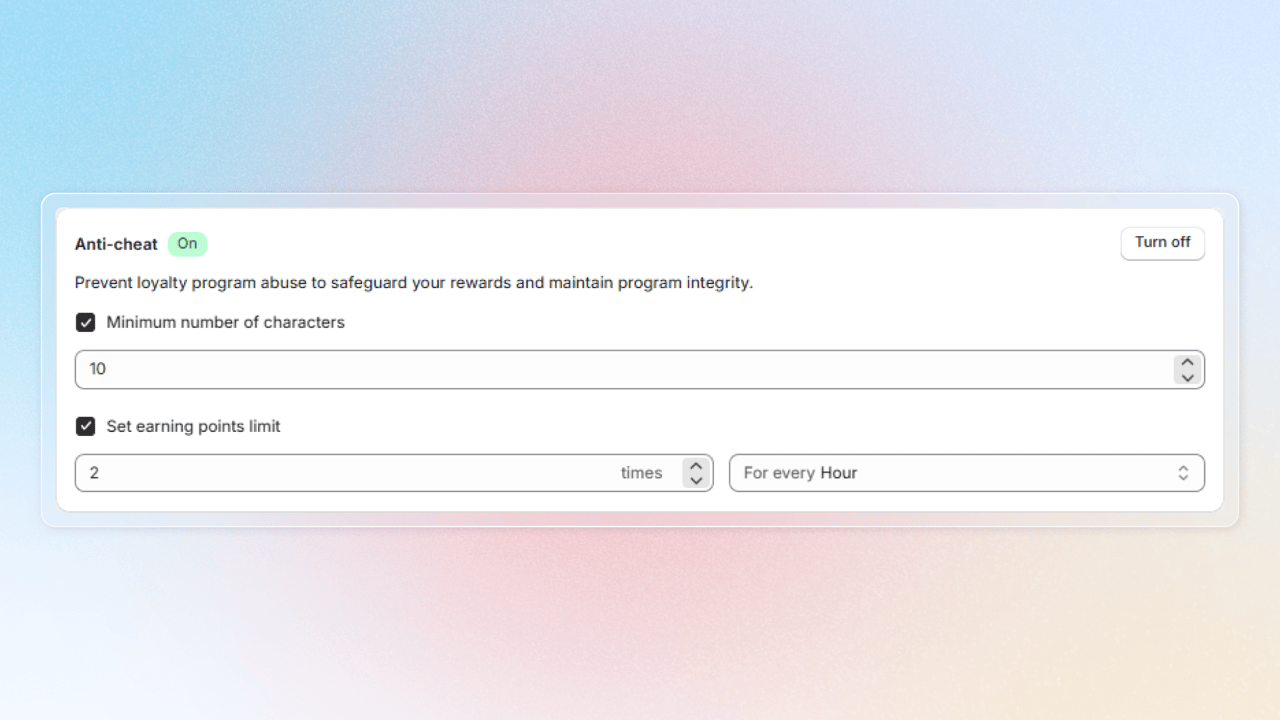
Anti-cheat: Keep your program fair with these safeguards:
- Minimum number of characters: Set minimum character count to control quality of your program
- Set an earning points limit: Limit how often points can be earned
- Only reward verified buyer reviews (Judge.me only): Award points only to shoppers who actually purchased the product, so non-buyers can't sign up just to farm points
Verified buyer = bought that exact product, used the same email as the order, and reviewed via Judge.me's post-purchase review email (Judge.me's verified-purchase level).
Non-verified reviews earn nothing and won't show in earning history. Applies only to reviews arriving after you turn it on — past points aren't re-checked or revoked.
Remember to press Turn on to activate your anti-cheat protection
Save your changes and press Turn on Write review program
Apply the program to specific products or collections
By default, every product review on your store earns points. If you want to reward reviews only on a curated catalog — for example, to promote a new collection — restrict the program with the Program applies to setting.
Where to find it: When creating or editing a Write review program, scroll to Program applies to and pick one of:
- All products (default) — keeps current behavior; every review earns.
- Selected products — only reviews on the products you pick earn points.
- Selected collections — only reviews on products inside the chosen collections earn points.
- All products except selected collections — reviews earn on everything except the collections you exclude.
The same setting is also available on Milestone → Number of reviews steps inside Mixed milestone, so a milestone "Write 3 reviews" can also be limited to a specific catalog.
Edge cases:
- If a product or collection on the list is later deleted in Shopify, that entry is automatically dropped from the program — the rest of the list keeps working.
- Customers reviewing products outside the scope simply do not earn — no error or warning is shown.
FAQs
Can I have an anti-cheat for Shopify-Flow-powered integration like with direct API integrations?
Unfortunately, we cannot control that. It depends on whether the trigger from the reviews app providing that mechanism or not.
Can I reward more if the review includes images or video?
Yes, you can. With direct API integration, we have an option for that and it is on Advanced.

However, with Shopify-Flow-powered integrations, it depends on the trigger include a variable for you to set the condition or not.