Shopify Flow: Loox and Joy Loyalty
Automate customer reviews through Loox and reward them with Joy Loyalty points using a custom Shopify Flow setup.
This feature is available for Essential, Advanced, and Ultimate
New: Joy now connects directly to Loox via API + webhook, so you no longer need to build a Shopify Flow. See Joy and Loox — your existing Flow workflow keeps working if you don't switch.
Why do you need this workflow?
The workflow between Joy Loyalty and Loox is essential for boosting your brand’s visibility by automatically showcasing customer reviews and star ratings on social media and search engines. This integration not only helps you build trust with potential customers but also incentivizes existing ones by awarding loyalty points for leaving reviews. By encouraging customer feedback and rewarding them, you strengthen engagement, enhance brand credibility, and foster long-term loyalty.
How to create a workflow between Loox and Joy Loyalty?
Access Shopify Flow and Create a New Workflow
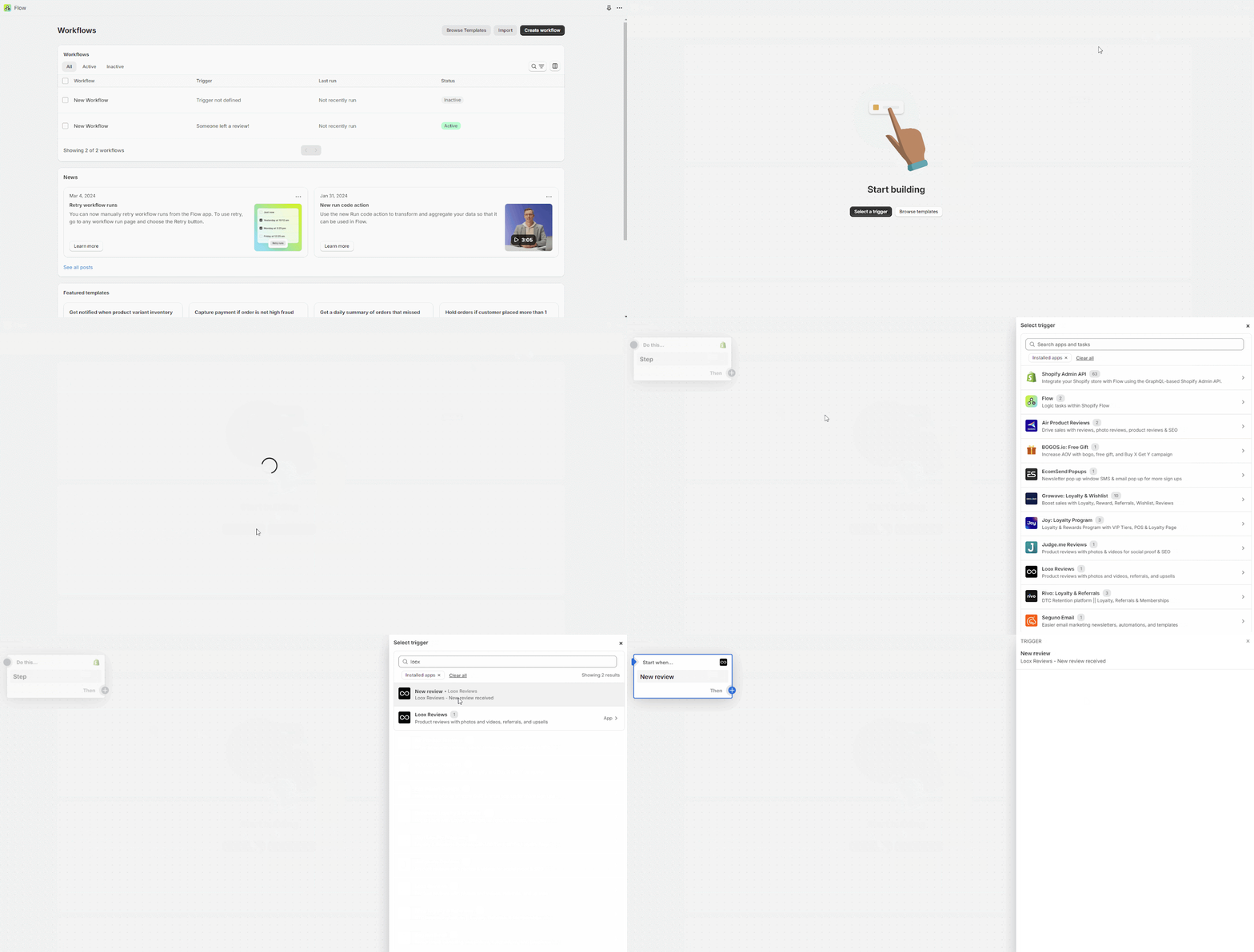
- You need to access Shopify Flow and create a new workflow. Here, you should choose Loox as the trigger
Select Action
- Select 'Action'. Here, you should choose 'Joy loyalty' to automatically add points for the new review
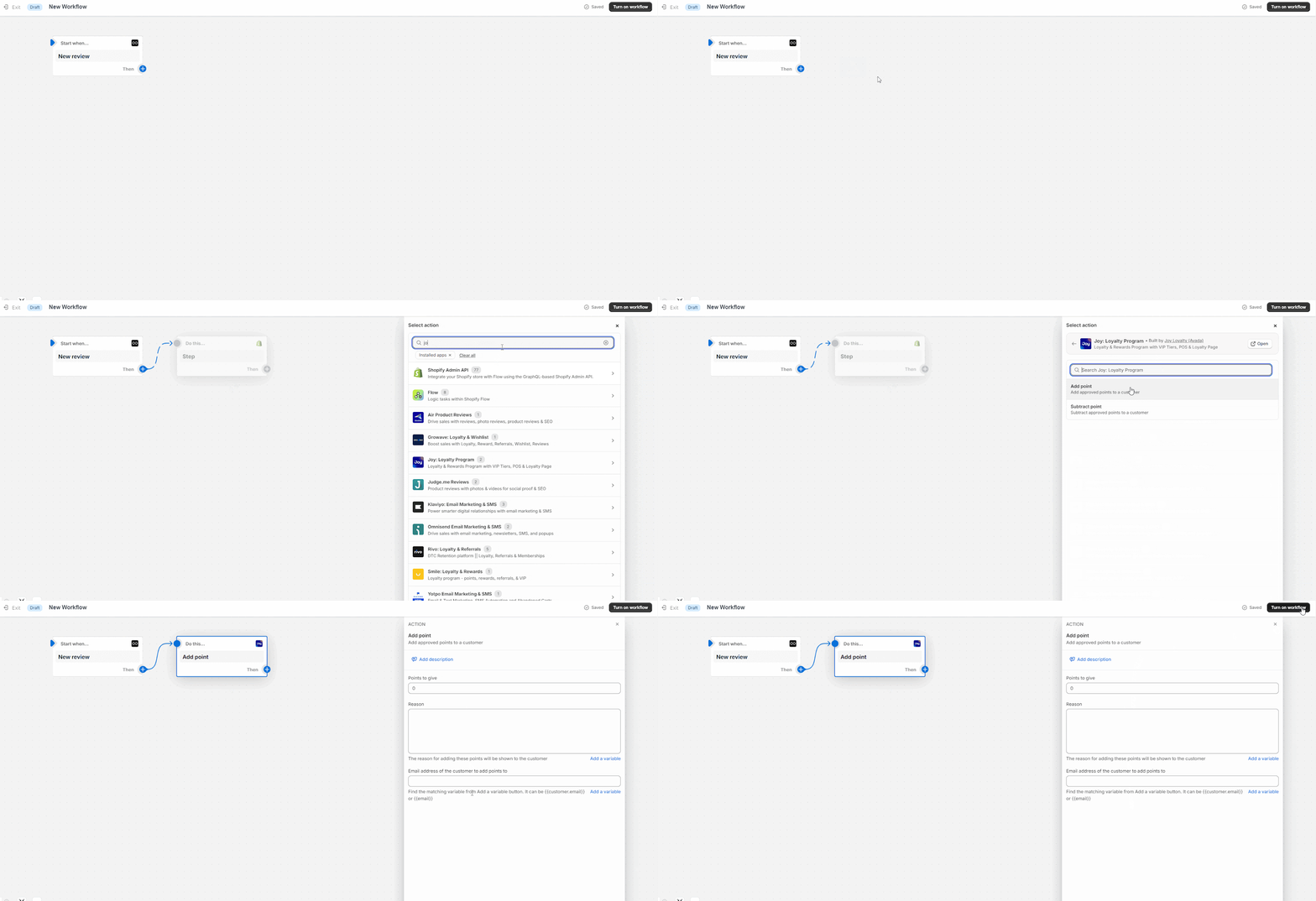
And there you have it! You're all set to create a seamless workflow between Joy Loyalty and Loox.
Wrap up
Integrating Joy Loyalty with Loox is a powerful way to amplify your brand’s presence by displaying customer reviews on social media and search engines while rewarding customers with loyalty points. This workflow drives customer engagement, builds trust, and strengthens loyalty, ultimately contributing to long-term business success.