Referral flow explained
Understand each step, troubleshoot issues, and get answers to FAQs about managing your referral program
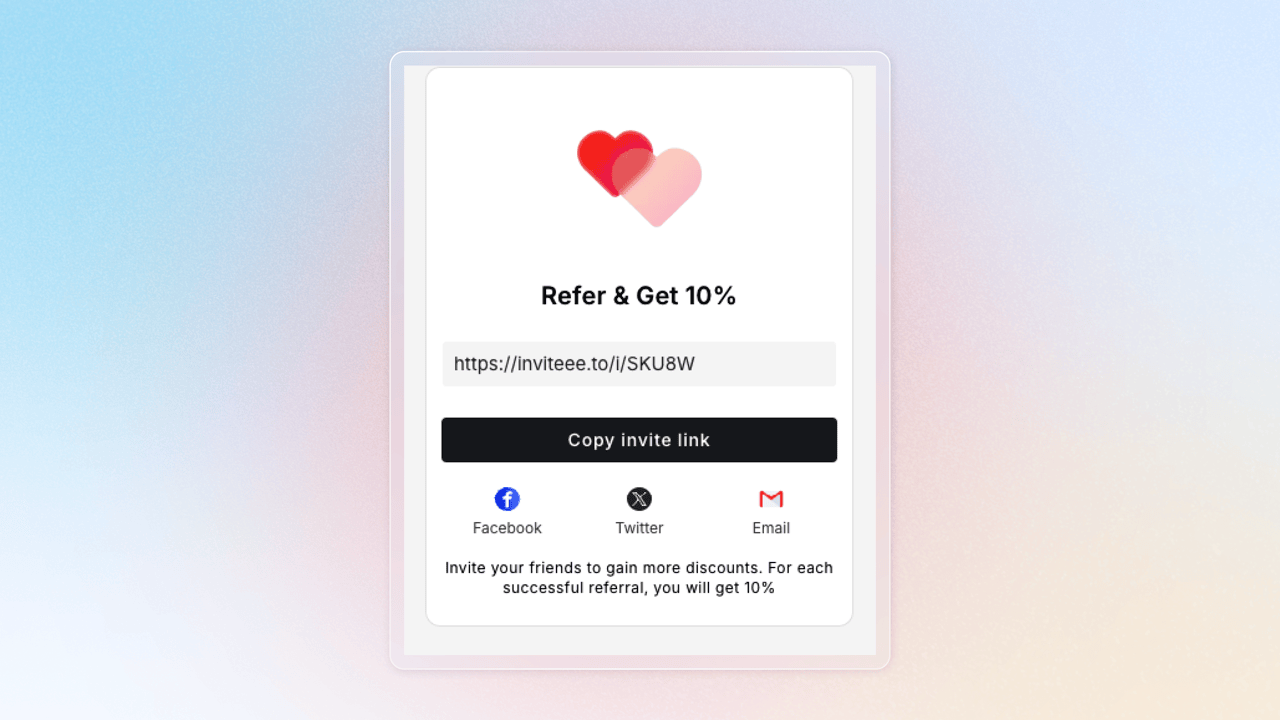
Referrers Share Their Links
The referrer shares their unique link with a new customer, who must not have an existing account. Clicking the link takes them to your referral landing page.
Referees Claim Their Rewards
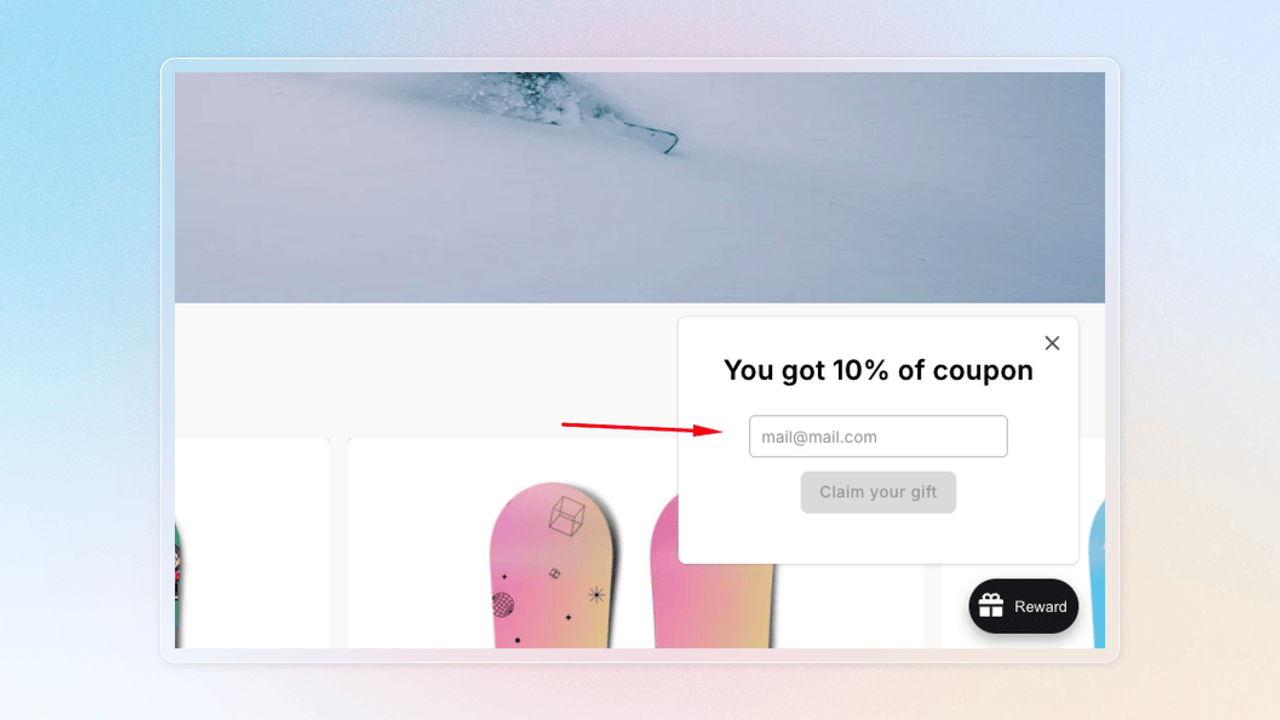
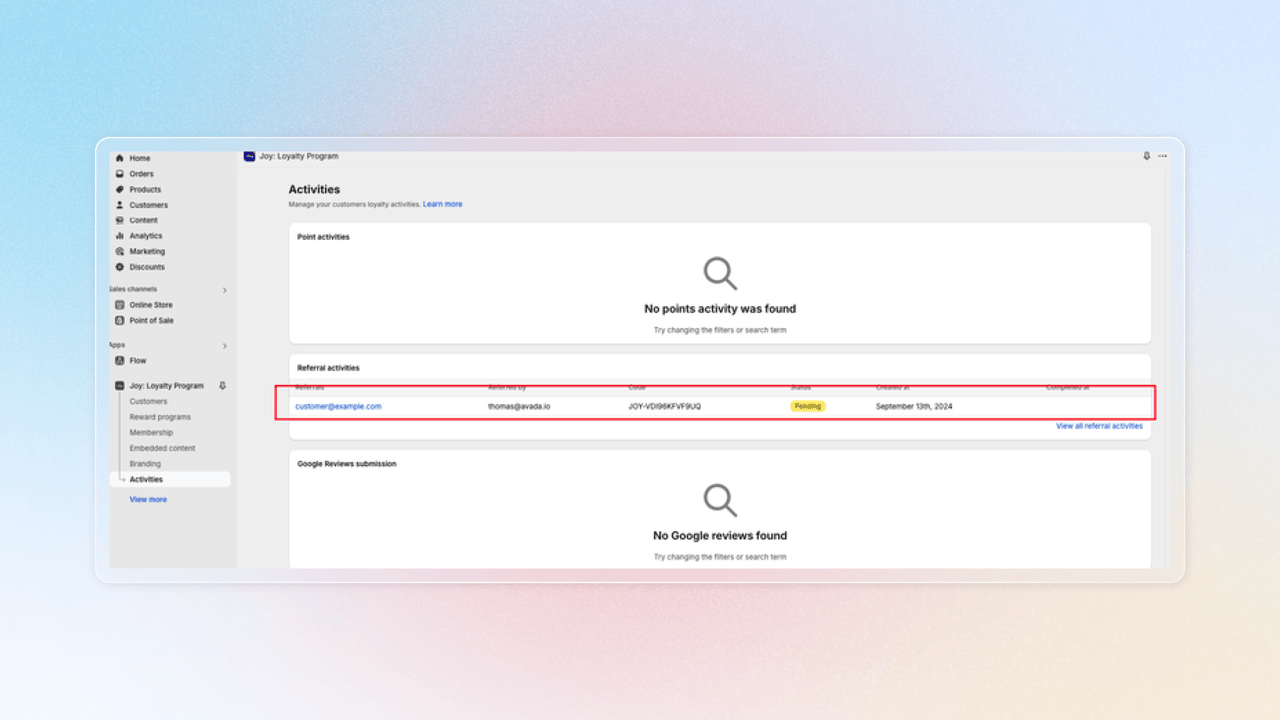
The referred customer fills in their email to claim the reward you’ve configured in the program. Once they’ve done this, a pending referral activity will appear in the app.
Once you click the link, our app will store a 7-day cookie on the device. If the customer does not make the purchase within 7 days, the link will expire.
The pending activity will be shown on your activity page
Referees Make a Purchase
The referred customer needs to place an order using the same email they used to claim their reward.
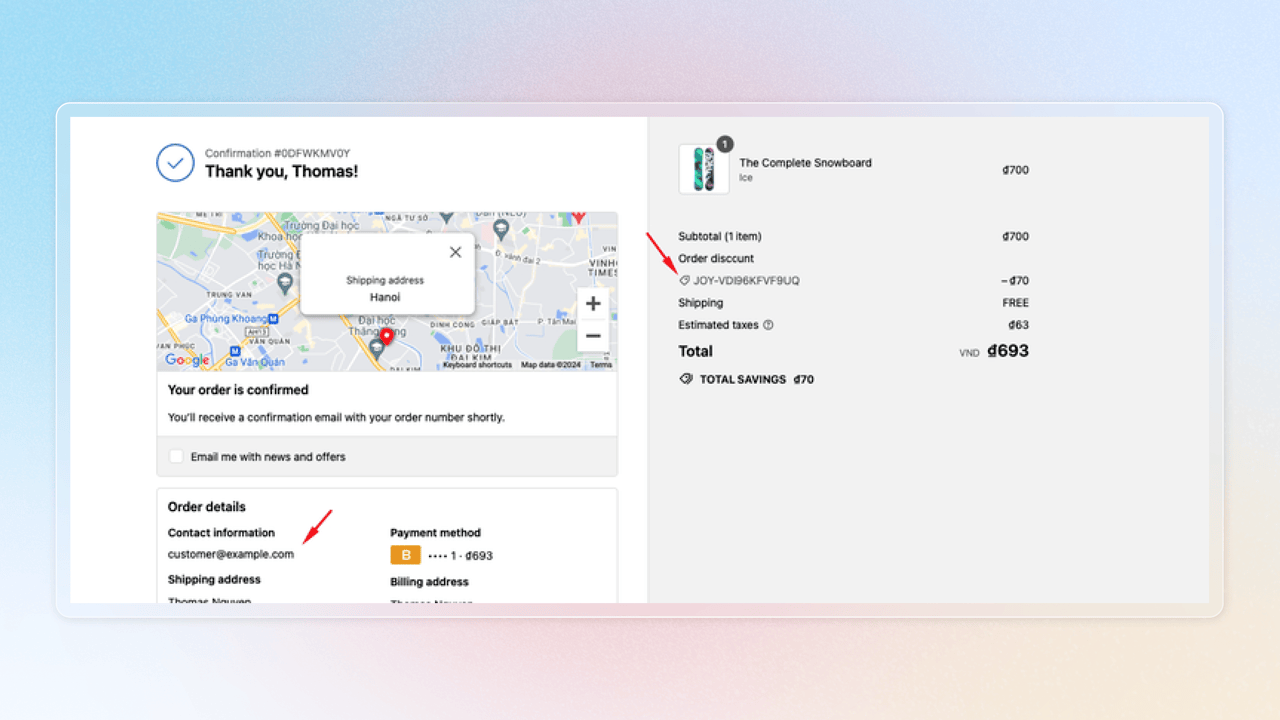
When they complete their purchase and reach the thank you page, the referral activity will be marked as complete in the app.

Rewarding on Fulfilled? If you set Settings → Order → Reward by order status to Fulfilled, a referred order that's paid but not yet fulfilled shows as Awaiting fulfillment — not Pending. The referral reward is granted automatically once you fulfill the order.
FAQs
Why my referrer does not receive their rewards?
Two common reasons for issues:
- Different Emails: The customer may have used different emails for claiming rewards and placing the order. Ensure the same email is used.
- App Pixel Disabled: Check if the App pixel is enabled in Settings > Customer Events. If the status is not synced correctly, try toggle the referral program status on and off again to see if it is updated.
If my customers cheat by using tricks to create multiple accounts for referral rewards, what should I do?
The anti-cheat feature in the referral program prevents fraudulent activities, ensuring fairness and protecting your business while rewarding genuine referrals.
To set up the anti-cheat feature, simply follow these steps:
Wrap up
The referral program transforms customers into brand advocates, turning word-of-mouth into a strategic growth tool. By creating a rewarding, fair system that incentivizes genuine referrals, you enable your satisfied customers to naturally expand your business network through trusted recommendations.